

Waitlist overview
Let customers join a waitlist when a session or event is full, and notify them when a spot opens.
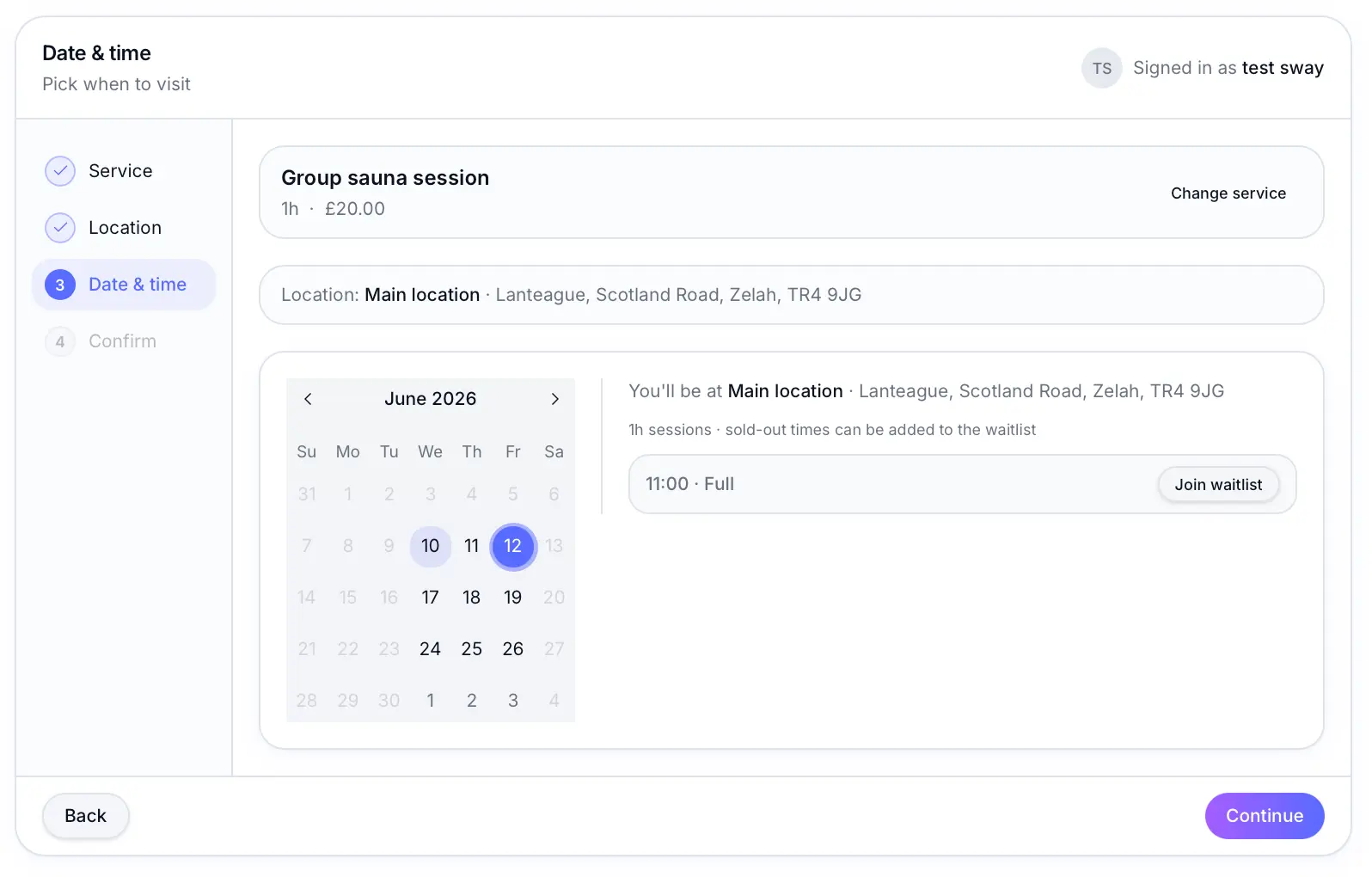
Quick answer: When a fixed session or one-off event is full, signed-in customers tap Join waitlist on your booking page — no extra form — and get emailed if a spot opens.
Before you start
- At least one fixed-session or one-off service with capacity
Overview
Waitlist fills cancelled or freed spots without manual outreach. Customers join from your booking page when a session is full; Sway emails the next person on the list when space opens.
- Works with fixed sessions and one-off events
- Sign-in required — one tap to join, using the customer's account email
- First-come queue — up to 10 people per slot
- Email notification with a link to book
- Configurable minimum notice and re-notification cooldown
Before you start
Note
Waitlist is off by default. Turn it on under Scheduling settings before customers can join.
How it works
Enable waitlist
Turn on waitlist under Scheduling settings.
Look for: Waitlist
Customer joins when full
They sign in to a customer account, then tap Join waitlist on the full session. There is no separate email form — Sway uses their account email automatically.
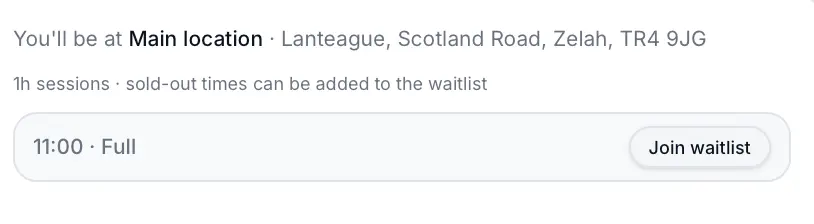
One tap adds them to the queue — no extra form. Spot opens
When someone cancels or you free a spot, the next waitlisted customer is notified.
Customer books from the email link
The notification includes a deep link to book the now-available slot.
What happens next
If the notified customer doesn't book within your settings, Sway can notify the next person after the cooldown period.
Waitlist notificationsRead →Common questions
Frequently asked questions
No. Waitlist is for capacity-based sessions — fixed sessions and one-off events.
Related articles
Still need help?
If this article didn't answer your question, search the help centre or contact our support team.
Sign in to open a tracked support ticket, or use the contact form.