

How customers join a waitlist
Joining and leaving a waitlist when a class or event session is full.
Quick answer: When a fixed session or one-off event is full, sign in and tap Join waitlist on the booking page. If a spot opens, Sway emails you a link to book — first come, first served, up to 10 people per session.
Overview
Waitlist lets you register interest when a class or event is at capacity. You don't pay or hold a spot — you're queued in order. If someone cancels, the first person on the list gets an email with a link to complete the booking.
- Only for full fixed sessions and one-off events — not flexible 1:1 appointments
- Sign in required — Sway needs your email to notify you
- Up to 10 people per waitlist
- First in the queue is notified first when space opens
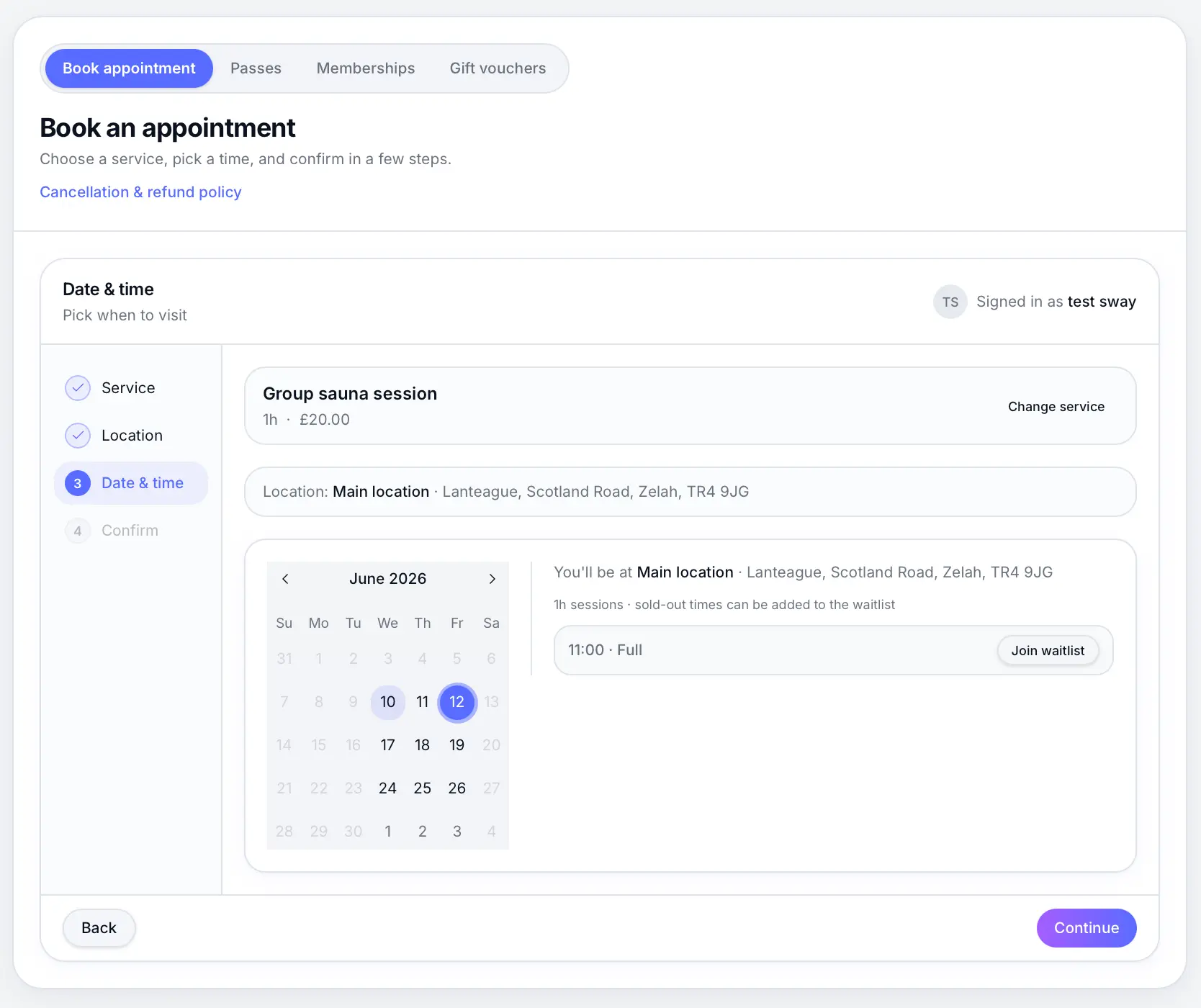
Before you start
Note
The business must have waitlist enabled in their scheduling settings. If you don't see Join waitlist, the session may not be full or waitlist is turned off.
Step-by-step
Open the business booking page
Use the link the business shared — from their website, Instagram, or the Sway directory.
Choose a full session
Pick a fixed class or event time marked as full. Available sessions let you book directly instead.
Sign in to your Sway account
Waitlist requires a signed-in customer account so Sway can email you when a spot opens.
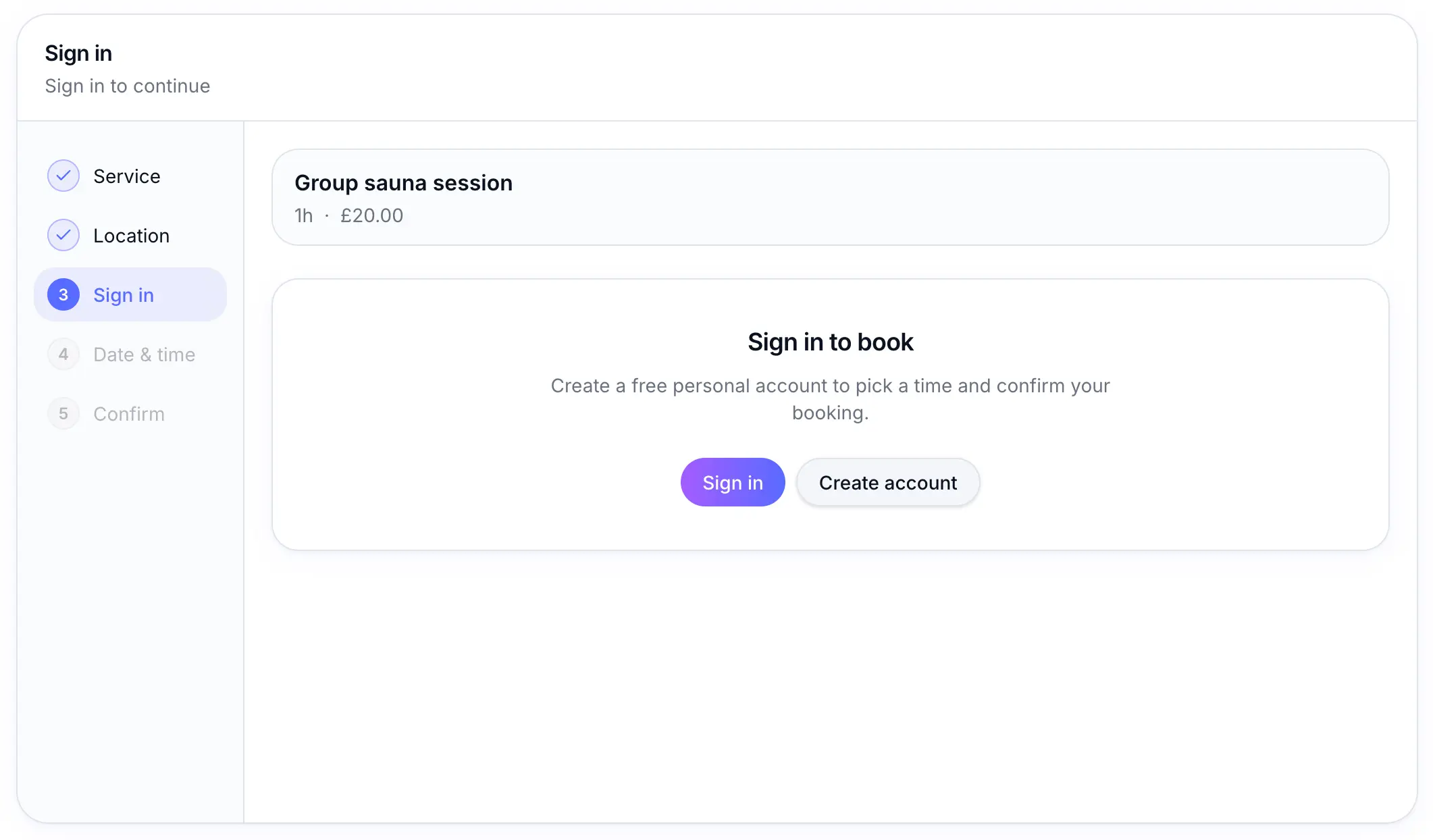
Create a free customer account if you don't have one yet. Tap Join waitlist
Confirm to join the queue. You'll see confirmation that you're on the list for that session time.
Look for: Join waitlist
Book from the notification email
When a spot opens, check your inbox for an email with a direct link to book. Act promptly — if you don't book, the next person may be notified after a cooldown period.
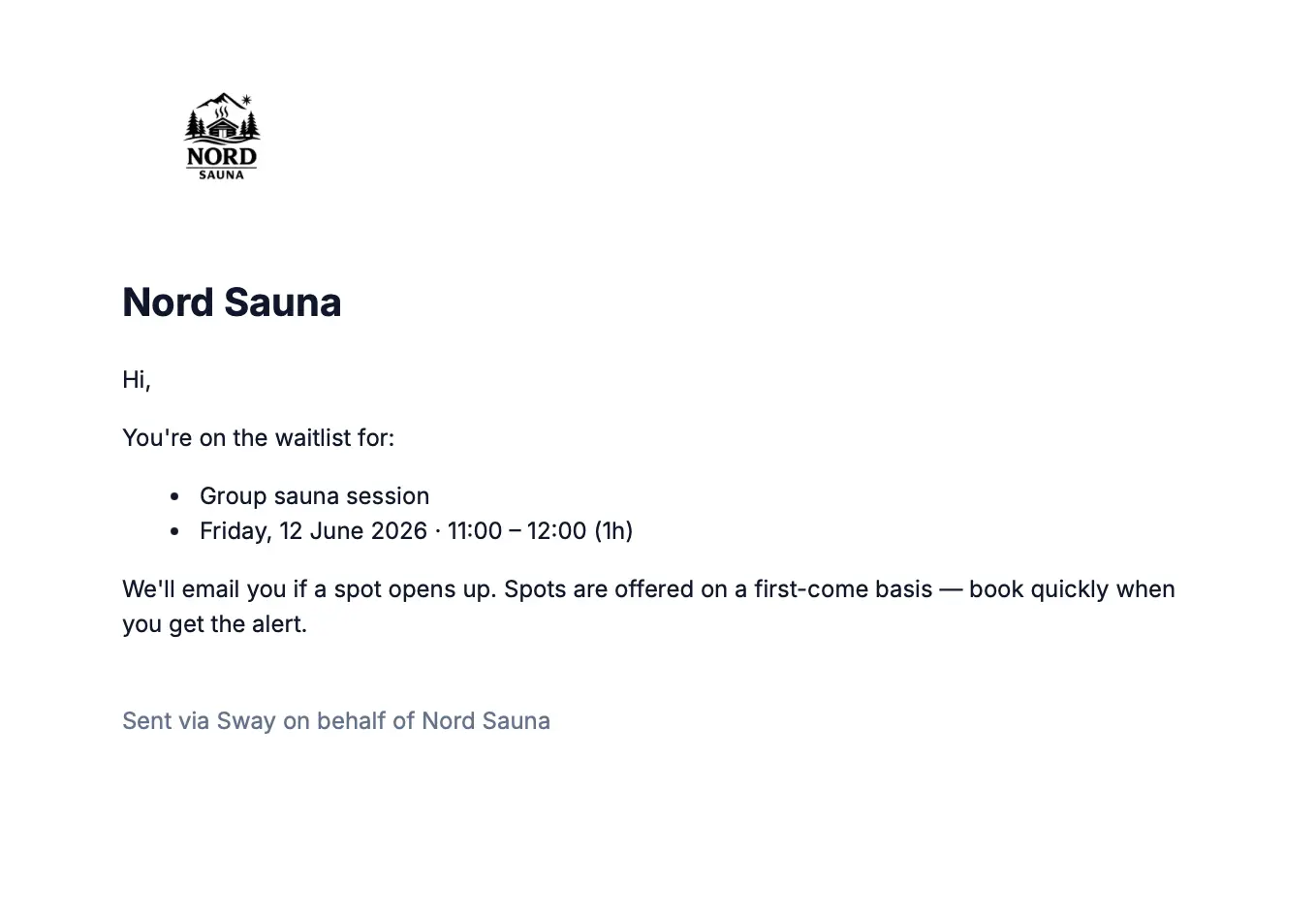
The link takes you straight to checkout for the open spot.
Common questions
Frequently asked questions
No. Payment happens only if you book after receiving a spot-available email.
Related articles
Waitlist
Waitlist overview
Let customers join a waitlist when a session or event is full, and notify them when a spot opens.
Waitlist
Waitlist settings
Turn on waitlist, set minimum notice and re-notification cooldown.
Customer guides
How to book an appointment
Book a service on a business's public booking page.
Still need help?
If this article didn't answer your question, search the help centre or contact our support team.
Sign in to open a tracked support ticket, or use the contact form.