

Adding team seats
Extra staff seats on the Team plan beyond the two included.
Quick answer: Team includes 2 staff seats. Add more from Billing at £7 per seat per month — billed as a Stripe subscription add-on.
Overview
The Team plan includes two bookable staff members. If your team grows, purchase extra seats from Billing without changing your base plan. Each add-on seat increases your staff limit by one.
- 2 staff seats included on Team
- £7 per extra seat per month
- Billed alongside your Team subscription in Stripe
- Reducing seats takes effect at the end of your billing period
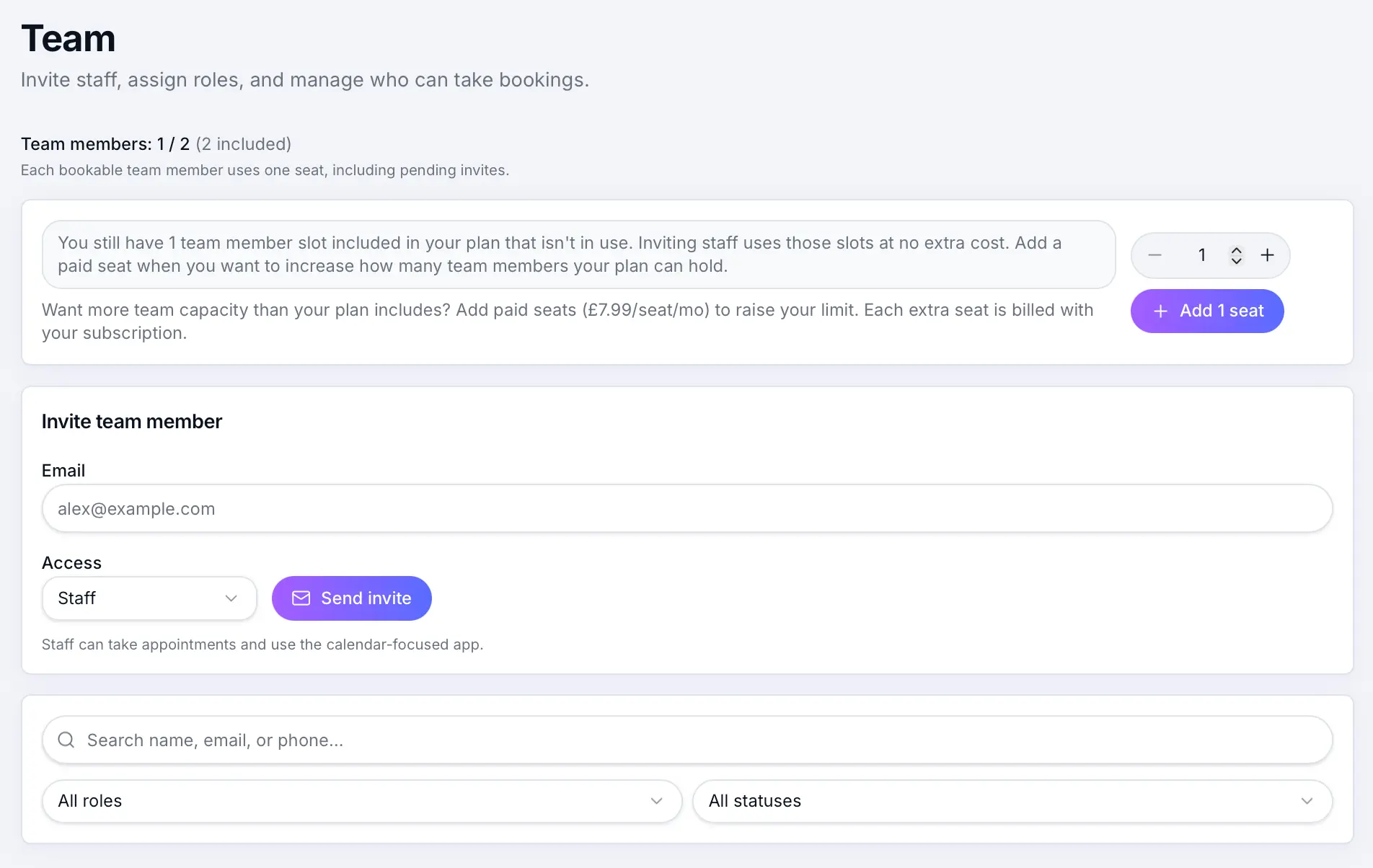
Before you start
Note
Staff add-ons are only available on an active Team subscription. Upgrade to Team first if you are on Free or Individual.
Step-by-step
Open Billing
Look for: Billing
Find Team seats
Under your Team subscription, see how many seats are included and any add-ons already active.
Add seats
Use the add-seat control to choose how many extra seats you need, then confirm. Stripe updates your subscription immediately.
Look for: Add seats
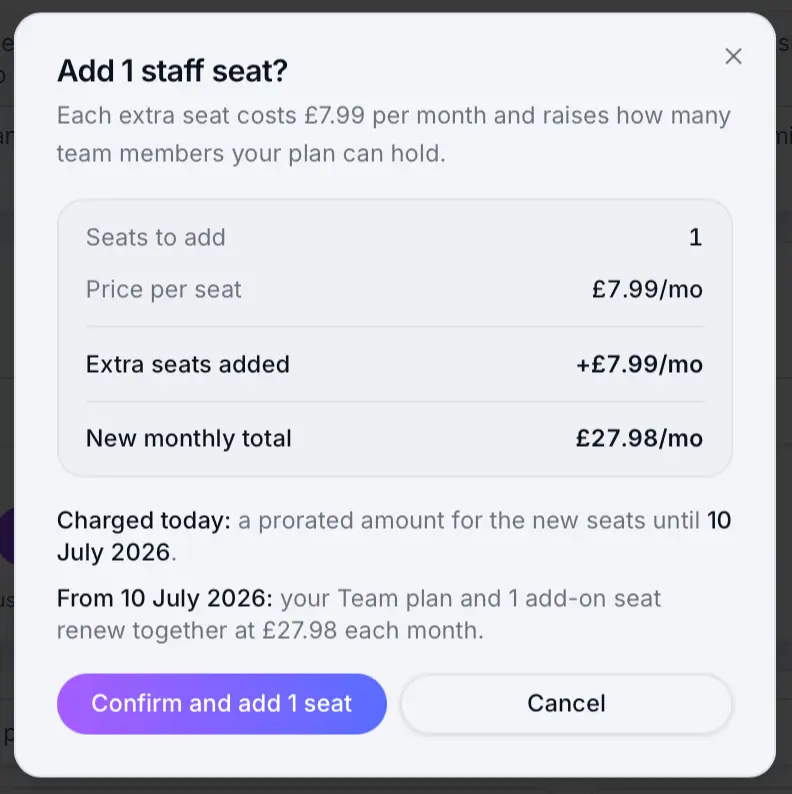
Choose how many extra seats to add, then confirm the charge. Invite team members
After seats are available, invite staff from Team and assign calendars.
Look for: Team
Common questions
Frequently asked questions
Yes. Reducing seats schedules the change for your billing period end. You may need to deactivate staff first if you are over the new limit.
Related articles
Plans & billing
Sway plans compared
Compare Free, Individual, and Team plans — features, limits, platform fees, and which plan fits your business.
Plans & billing
Plan limits
Staff seats, monthly bookings, locations, and other limits by plan.
Team & customers
Inviting staff & admins
Send email invites so team members can log in and manage bookings.
Plans & billing
Upgrading & downgrading your plan
Move between Free, Individual, and Team — upgrades apply immediately; downgrades take effect at the end of your billing period.
Still need help?
If this article didn't answer your question, search the help centre or contact our support team.
Sign in to open a tracked support ticket, or use the contact form.