

Dashboard overview
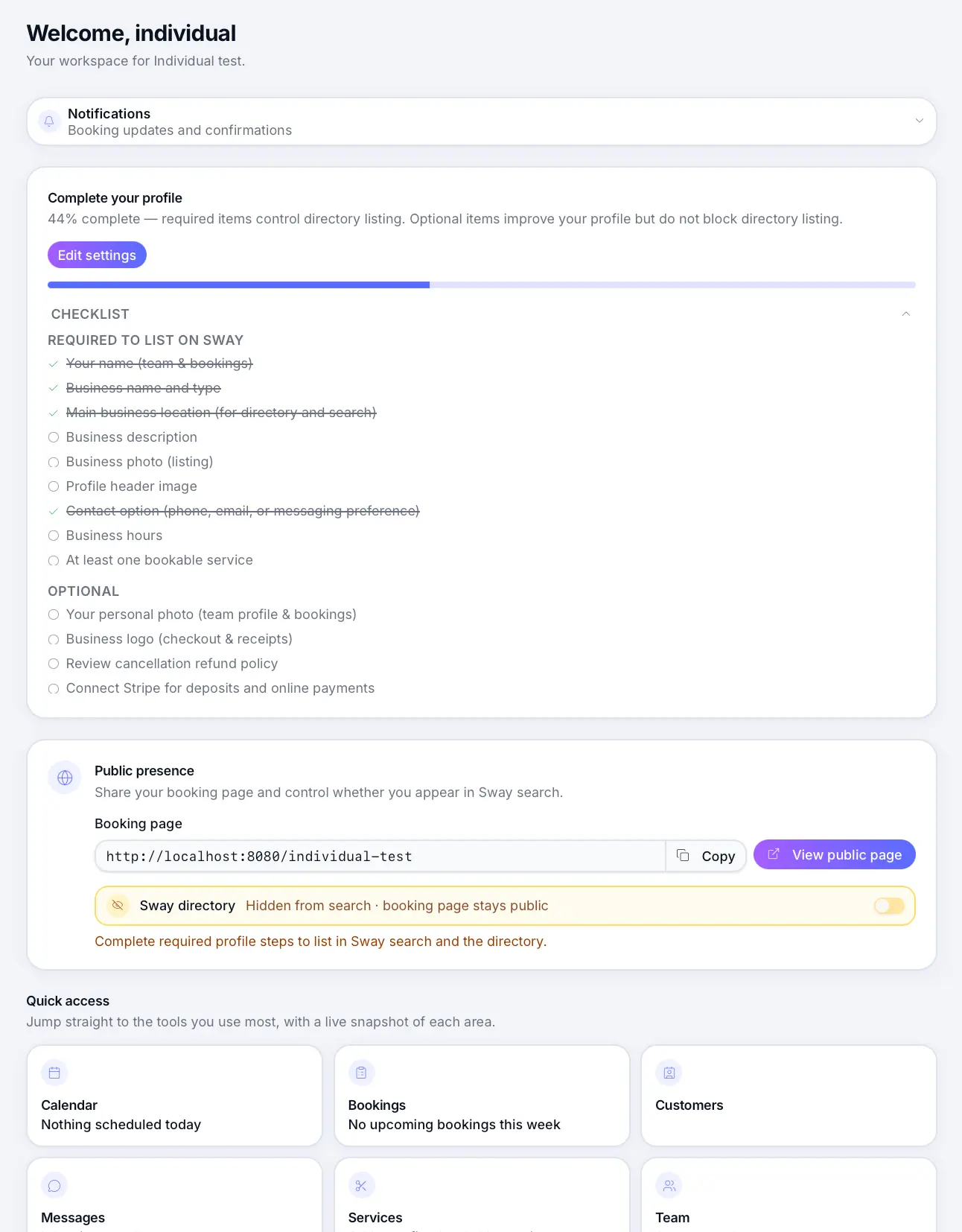
Your business home screen — setup checklist, usage warnings, and quick links.
Quick answer: The dashboard shows your setup progress, plan usage, and shortcuts to Calendar, Services, and Billing.
Overview
When you sign in, the dashboard is your starting point. It highlights what still needs setup and surfaces warnings when you approach plan limits.
Before you start
What you'll find
Setup checklist
Cards link to profile, hours, services, and Stripe — complete them before going live.
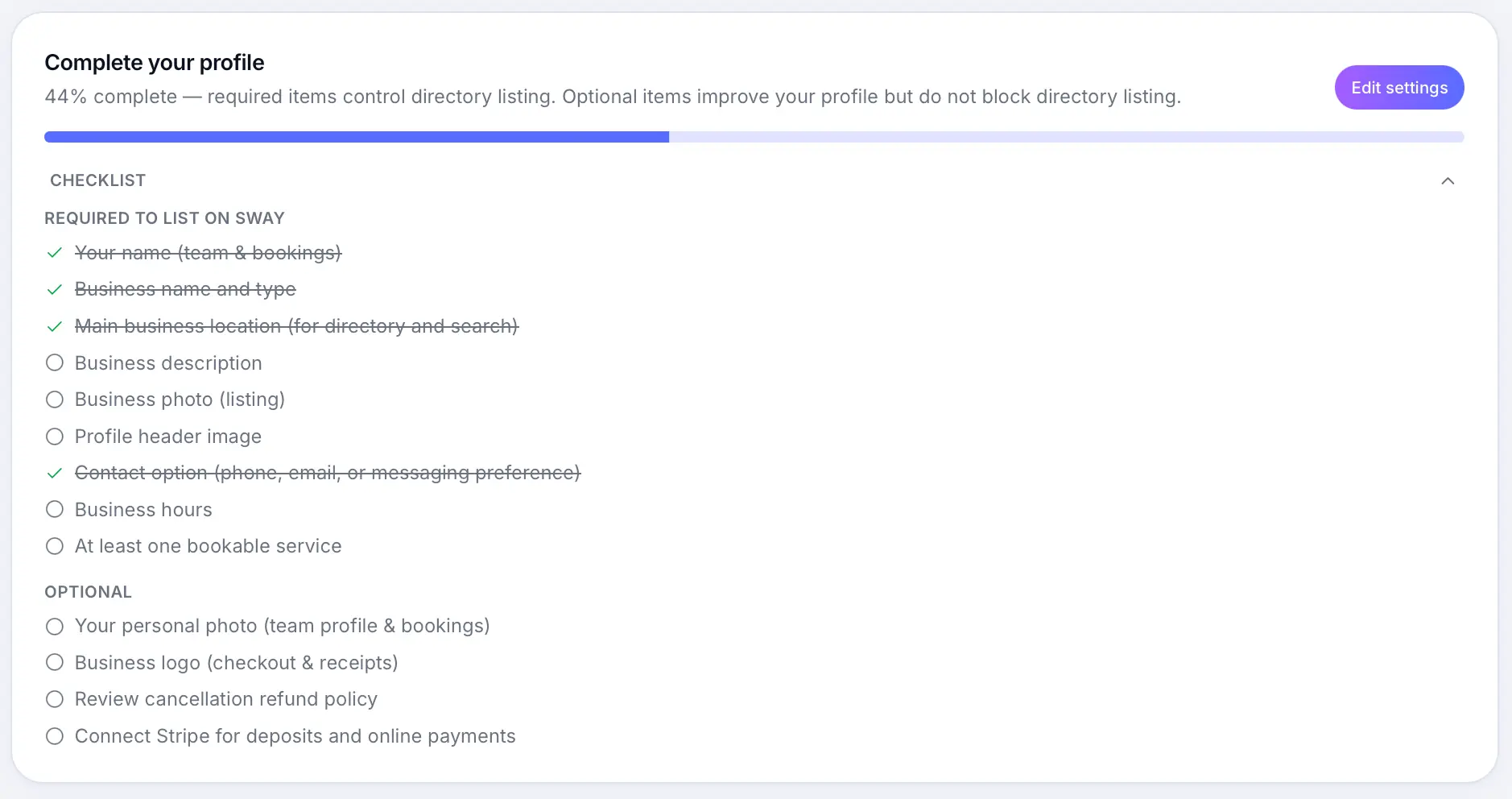
Tap any card to jump to that settings page. Usage warnings
On Free, you'll see booking and service counts as you approach monthly or total limits.
Quick links
Shortcuts to Calendar, Services, Messages, and other common tasks.
Common questions
Frequently asked questions
Yes. Completed setup steps are removed from the checklist automatically.
Related articles
Plans & billing
Go-live checklist
Everything to check before sharing your booking page with customers.
Plans & billing
Sway plans compared
Compare Free, Individual, and Team plans — features, limits, platform fees, and which plan fits your business.
Getting started
Your public booking page
Share your booking link and understand what customers see when they book online.
Still need help?
If this article didn't answer your question, search the help centre or contact our support team.
Sign in to open a tracked support ticket, or use the contact form.