

What is Sway?
Workspaces, your public booking page, and the Sway directory.
Quick answer: Sway is online booking software for UK service businesses. You run a business workspace with a public booking page; customers can also discover you in the Sway directory.
Overview
Sway helps you take bookings, manage your calendar, and get paid online. Your business workspace is where you set up services, hours, and payments. Customers book through your public page — no Sway account required.
- Business workspace — calendar, services, team, and settings
- Public booking page — shareable link at sway.app/your-slug
- Sway directory — optional listing so new customers can find you
- Customer workspace — separate area where clients manage their bookings
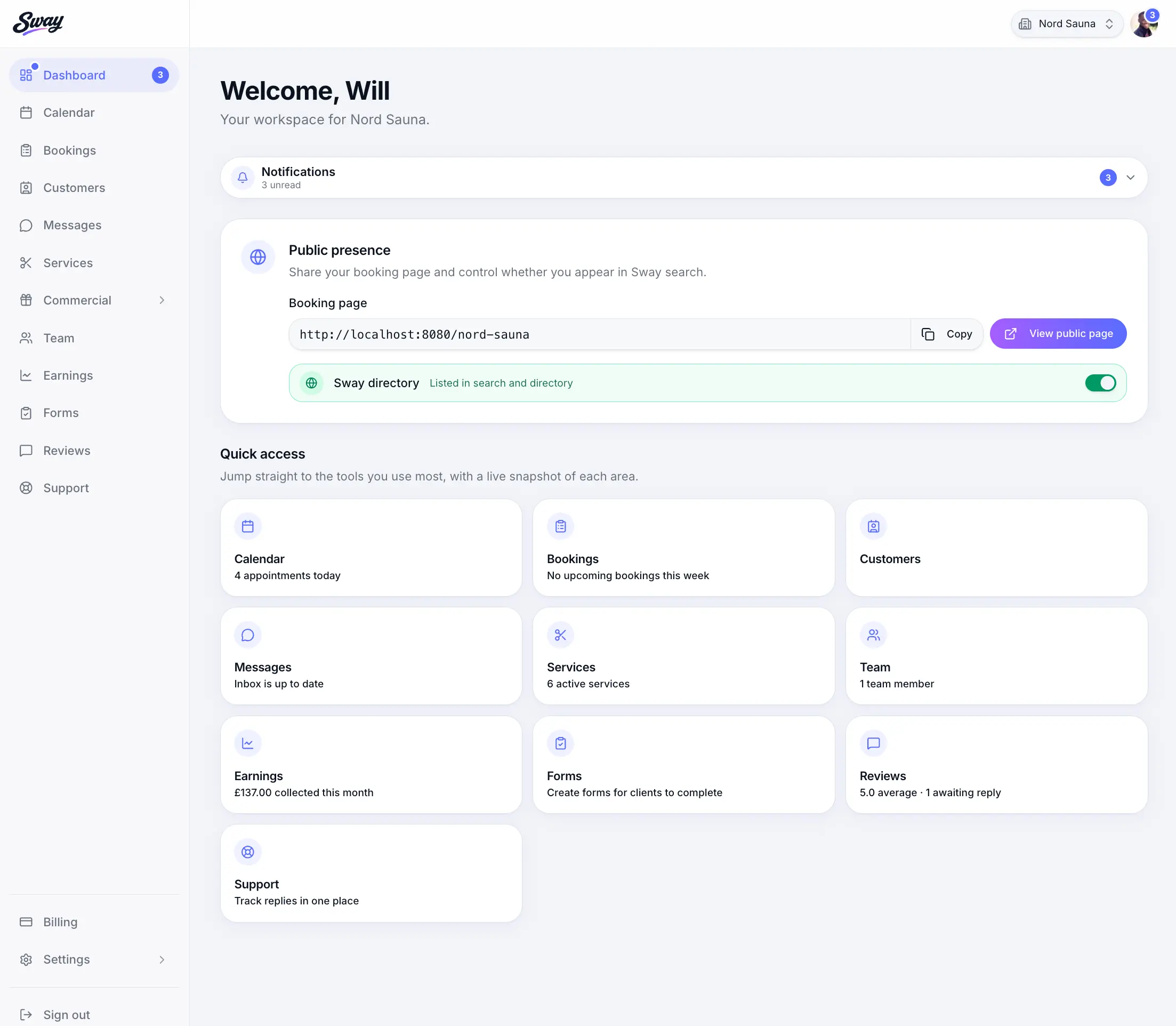
Before you start
Note
One login can access multiple workspaces — for example your business and your personal customer account.
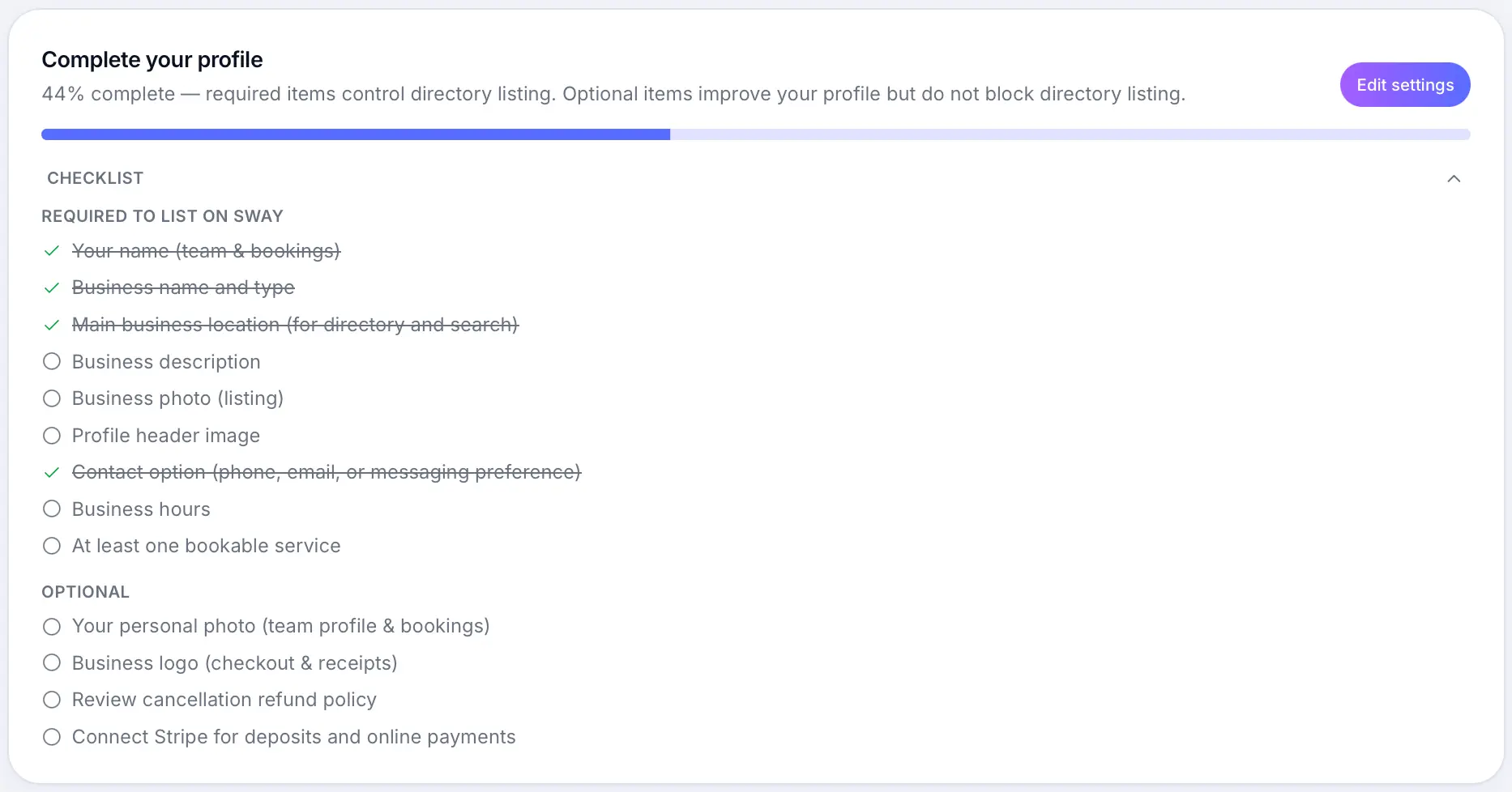
The three pieces to know
Your business workspace
Set up profile, services, scheduling, and Stripe. Manage bookings from Calendar and Bookings.
Your public booking page
Customers browse services, pick a time, and pay online or at the venue. Copy your link from Business profile.
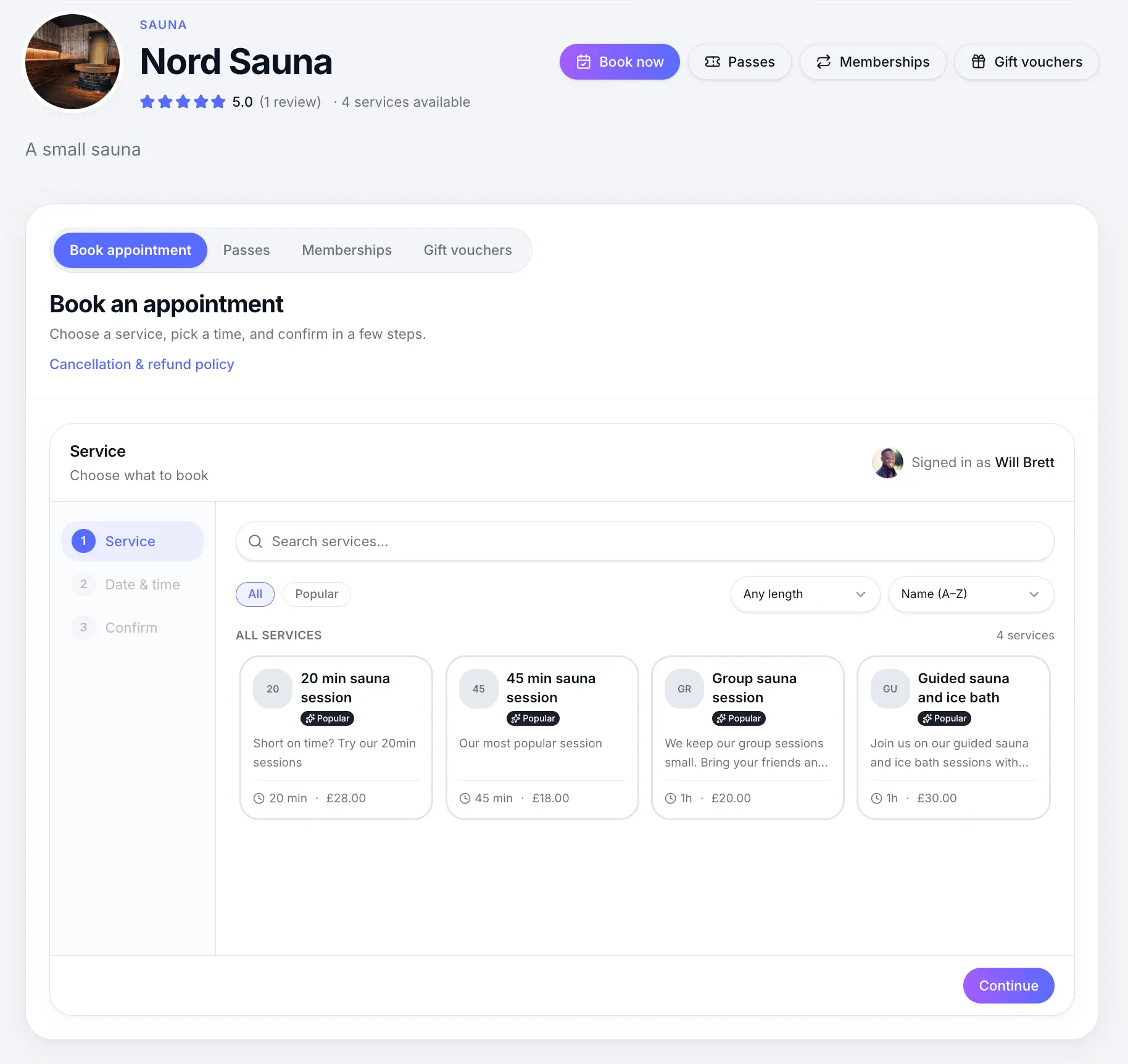
Every business gets a mobile-friendly booking page at a unique URL. The Sway directory
Optionally list your business on sway.app so local customers can discover and book you.
Common questions
Frequently asked questions
No. They can complete a booking on your public page as a guest. A customer account is optional for managing future bookings.
Related articles
Plans & billing
Go-live checklist
Everything to check before sharing your booking page with customers.
Getting started
Your public booking page
Share your booking link and understand what customers see when they book online.
Settings
Sway directory listing
List or hide your business in Sway search and the public directory.
Getting started
Switching workspaces
Move between business, personal, and support workspaces with one login.
Still need help?
If this article didn't answer your question, search the help centre or contact our support team.
Sign in to open a tracked support ticket, or use the contact form.