

Selling passes
Prepaid pass products for your services.
Quick answer: Passes let customers prepay for a set number of sessions. Create pass products on the Team plan, sell them on your public page, then set each service to allow optional pass redemption or require a pass at booking.
Before you start
- Team plan
- Stripe connected for online sales
Overview
Passes are prepaid bundles — for example, 10 yoga classes or 5 massage sessions. Customers buy a pass from your booking page and redeem credits when they book eligible services.
- Sell passes on your public booking page
- Set price, session count, and validity period
- Control which services accept pass redemption
- Available on the Team plan
Before you start
Team plan
Selling passes and pass redemption at booking require the Team plan.
How passes work
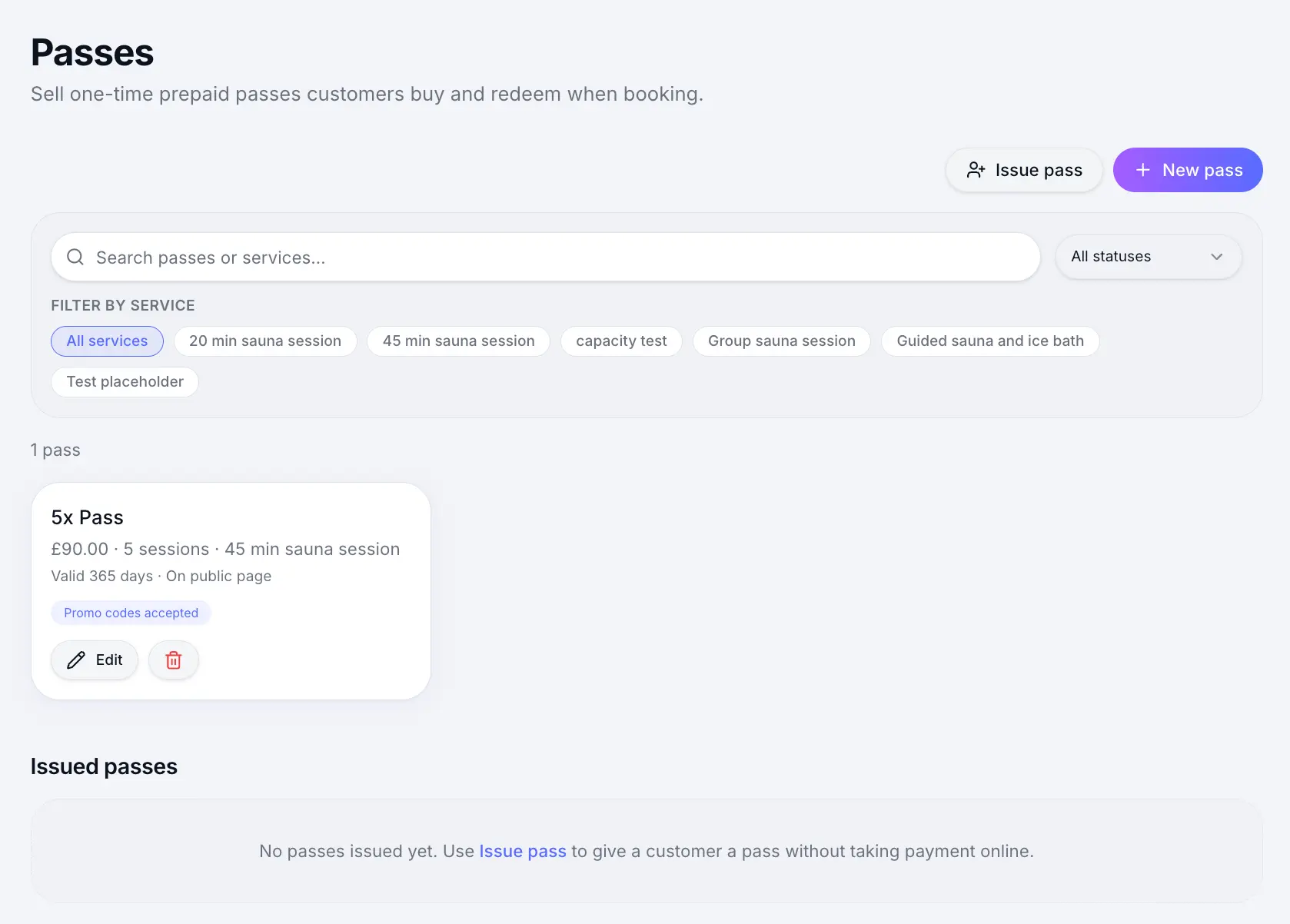
Create a pass product
Set the name, price, number of sessions, and how long the pass stays valid after purchase.
Look for: Passes
Customers buy on your public page
A Passes tab appears on your booking page when you have active pass products.
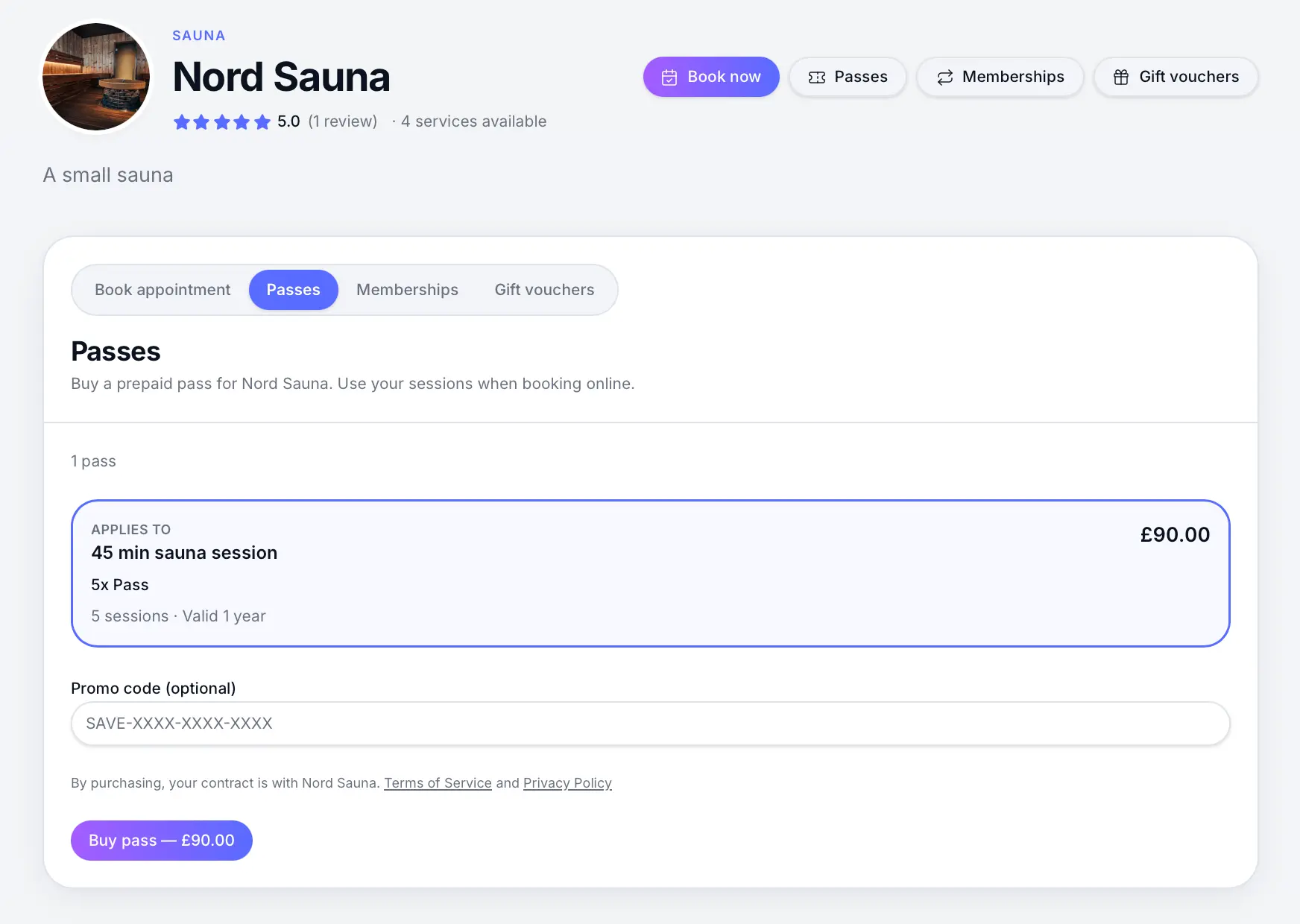
Customers purchase passes alongside booking services. Configure pass redemption per service
On each service Pricing step, choose whether passes are off, optional, or required.
Look for: Pricing
Services that allow or require passes
Pass behaviour is set per service on the Pricing step — not globally. You can run drop-in classes that accept card payment and members-only sessions that require a pass on the same booking page.
| Setting | What it means | Customer at checkout |
|---|---|---|
| Allow customers to use a pass | Optional — passes are allowed alongside your normal payment option | Pay by card (or deposit / pay at venue) or redeem a pass if they have one |
| Pass required | A valid pass is mandatory — no card payment for that service | Must redeem a pass; prompted to buy one first if they don't have credits |
| No pass option | Standard payment only | Passes cannot be used for this service |
- Allow customers to use a pass — good for mixed audiences (e.g. yoga class open to everyone, pass holders save a credit)
- Pass required — good for members-only or prepaid-only offerings (e.g. class pack sessions)
- Link which pass products work on each service when more than one pass exists
Services that allow passes
On Pricing, keep your usual payment option and turn on Allow customers to use a pass. Customers choose pay or redeem at checkout.
Look for: Allow customers to use a pass
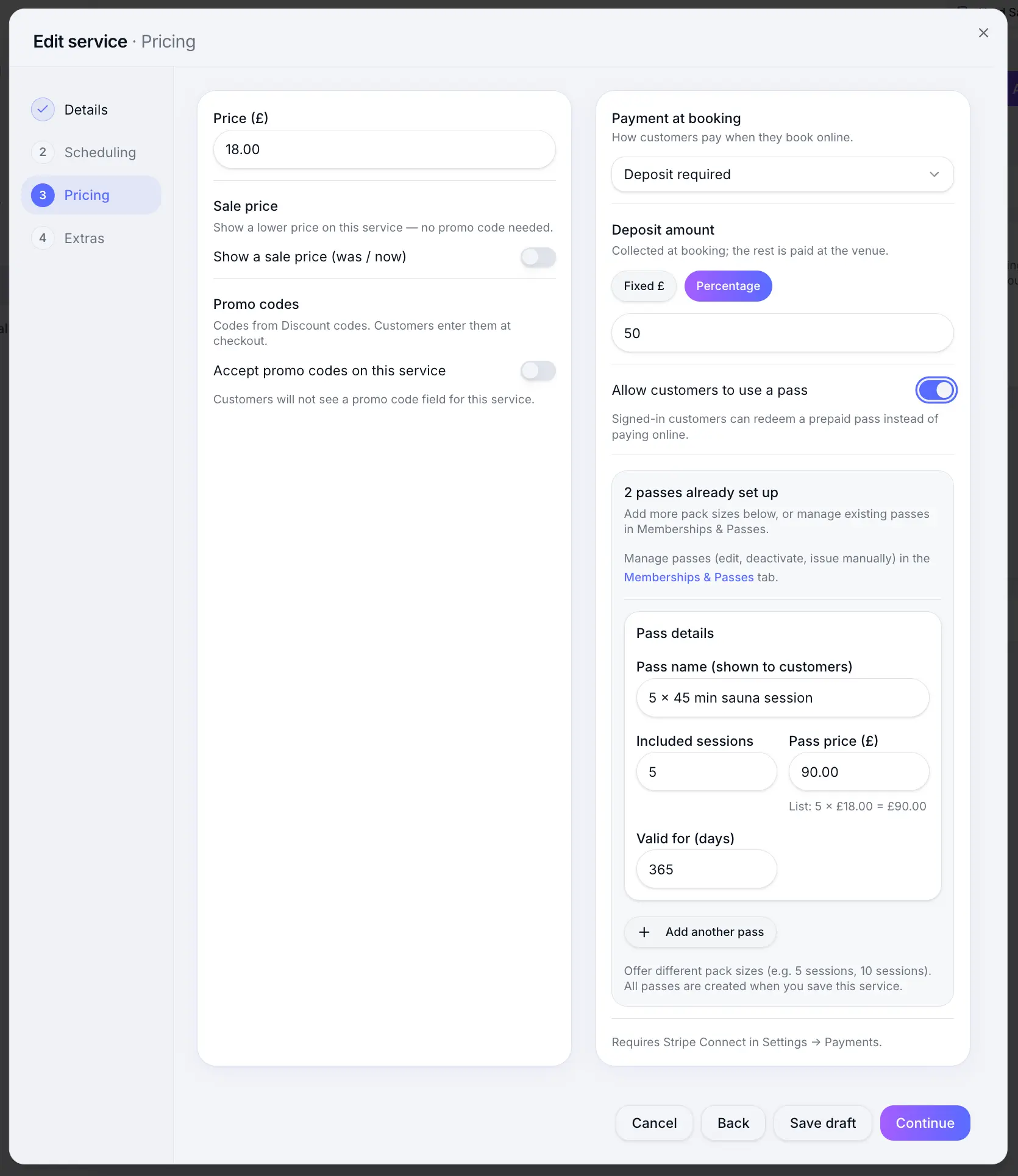
Optional — customers can pay normally or use a pass. Services that require passes
On Pricing, set Payment at booking to Pass required. Checkout uses pass credits only — no card charge for that service.
Look for: Pass required
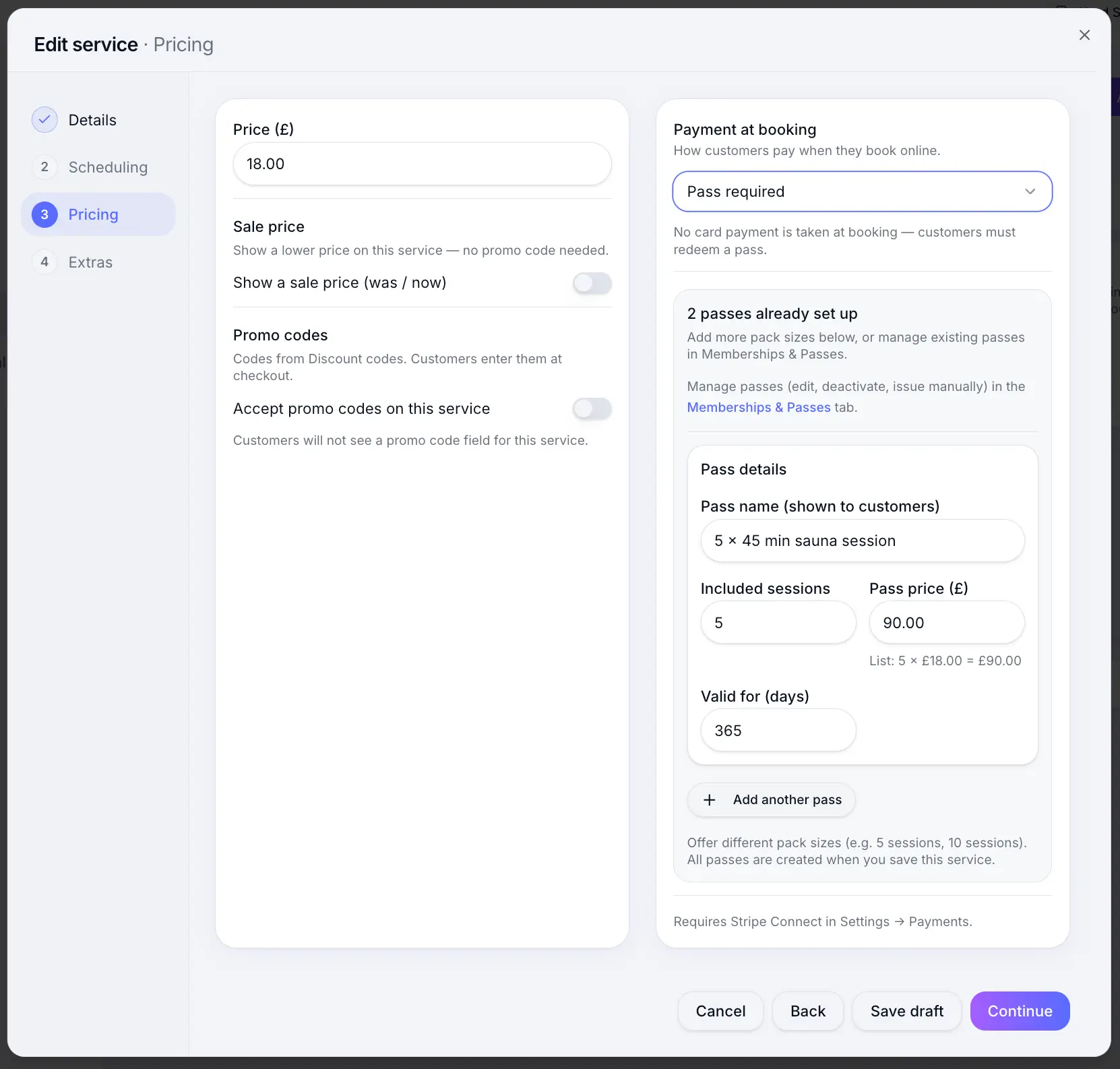
Required — customers must redeem a valid pass to book.
Common questions
Frequently asked questions
Passes are prepaid session bundles with a fixed credit count. Memberships renew on a schedule and grant ongoing benefits.
Related articles
Commercial
Creating a pass product
Set up a new pass for customers to buy.
Services
Pass redemption on services
Allow or require prepaid passes when customers book online.
Plans & billing
Sway plans compared
Compare Free, Individual, and Team plans — features, limits, platform fees, and which plan fits your business.
Still need help?
If this article didn't answer your question, search the help centre or contact our support team.
Sign in to open a tracked support ticket, or use the contact form.