

Pass redemption on services
Allow or require prepaid passes when customers book online.
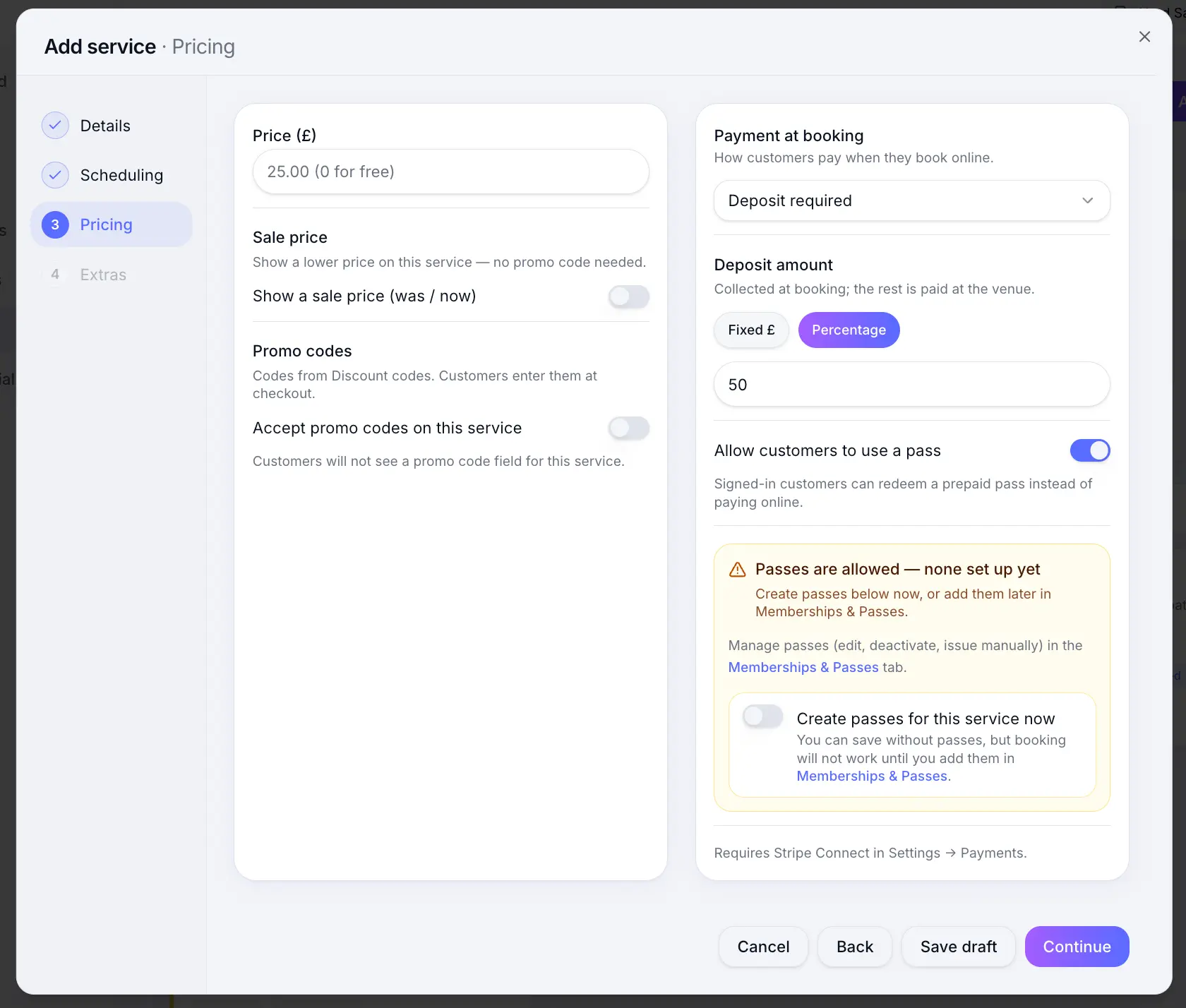
Quick answer: On the Pricing step, set Payment at booking to pass required, or keep another payment option and allow optional pass redemption. Passes are available on the Team plan.
Before you start
- Team plan
- At least one pass product created
Overview
Passes let customers prepay for sessions and redeem credits when they book. You can require a pass at checkout or allow passes as an optional alternative to card payment.
| Setting | Customer experience |
|---|---|
| Pass required | Must redeem a valid pass — no card payment |
| Pass optional | Can pay by card or redeem a pass if they have one |
| No pass option | Standard payment options only (pay at venue, deposit, full payment) |
Before you start
Team plan
Selling passes and pass redemption at booking require the Team plan.
Step-by-step
Create pass products
Look for: Passes
Edit a service and open Pricing
Look for: Pricing
Choose pass behaviour
Select Pass required to make a pass mandatory, or enable optional pass redemption alongside card payment.
Look for: Payment at booking
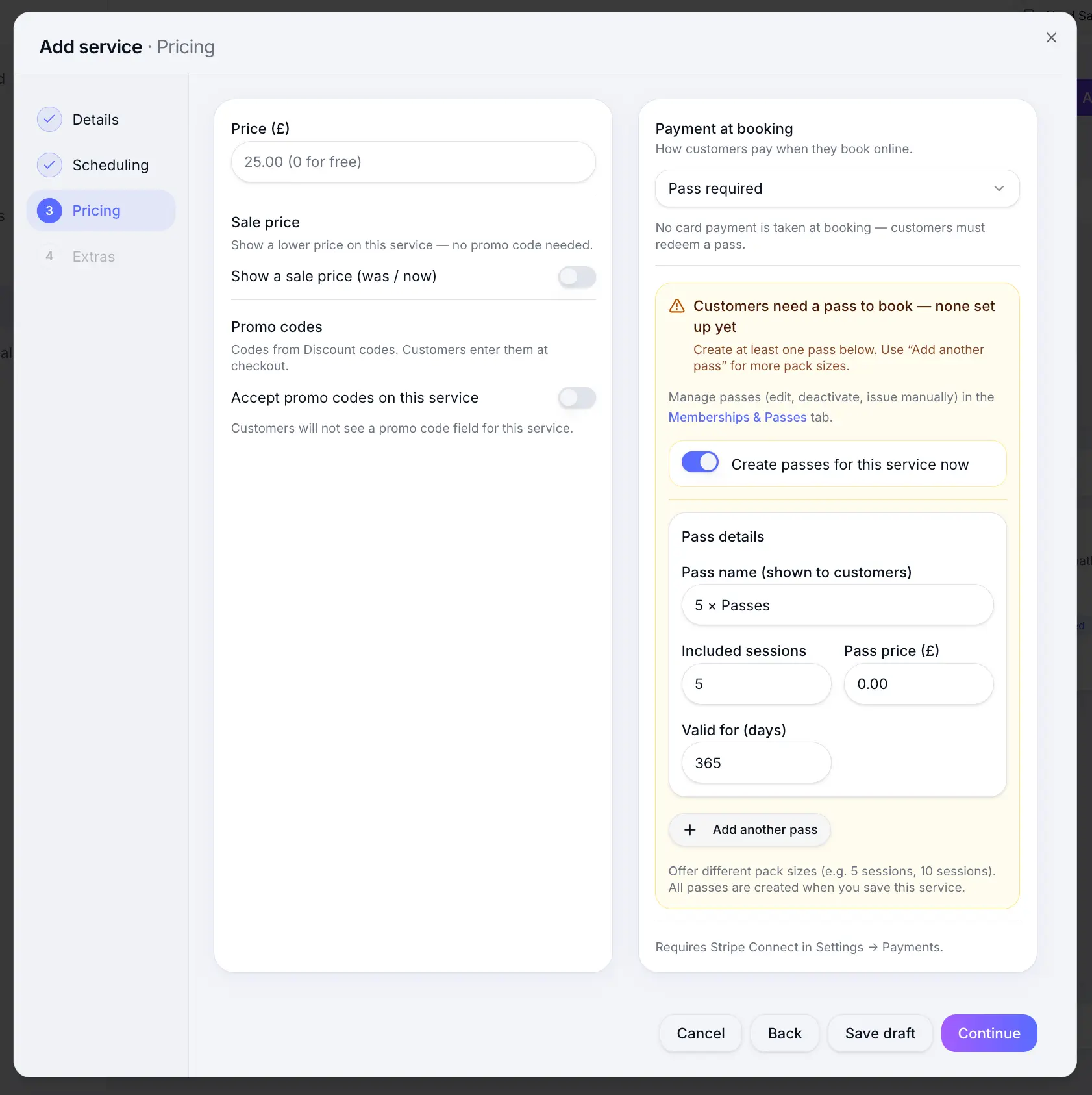
Pass required services skip card payment at checkout. Link eligible passes (if applicable)
Choose which pass products can be redeemed for this service.
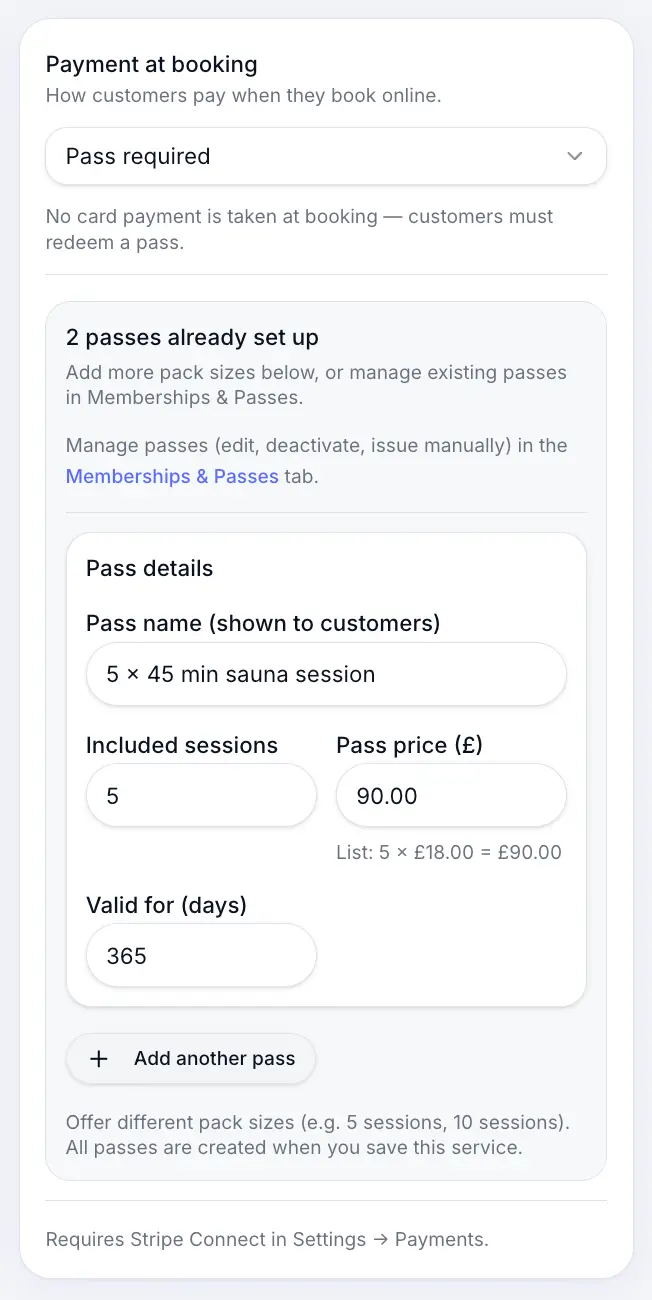
Limit redemption to specific pass products. Save the service
Look for: Save
What customers see
At checkout, customers with a valid pass see a redeem option. Pass required services show only pass redemption — customers without a pass are prompted to purchase one first.
Using passes when booking (customer)Read →Common questions
Frequently asked questions
Yes. Allow optional pass redemption so customers can choose a pass or pay by card.
Related articles
Still need help?
If this article didn't answer your question, search the help centre or contact our support team.
Sign in to open a tracked support ticket, or use the contact form.