

Pricing & sale prices
Set service prices and optional promotional sale pricing.
Quick answer: Set the base price on a service's Pricing step. Enable a sale price to show a discounted rate with the original price struck through.
Overview
Each service has a standard price shown on your booking page. Sale pricing lets you run promotions — customers see the reduced price with the original crossed out.
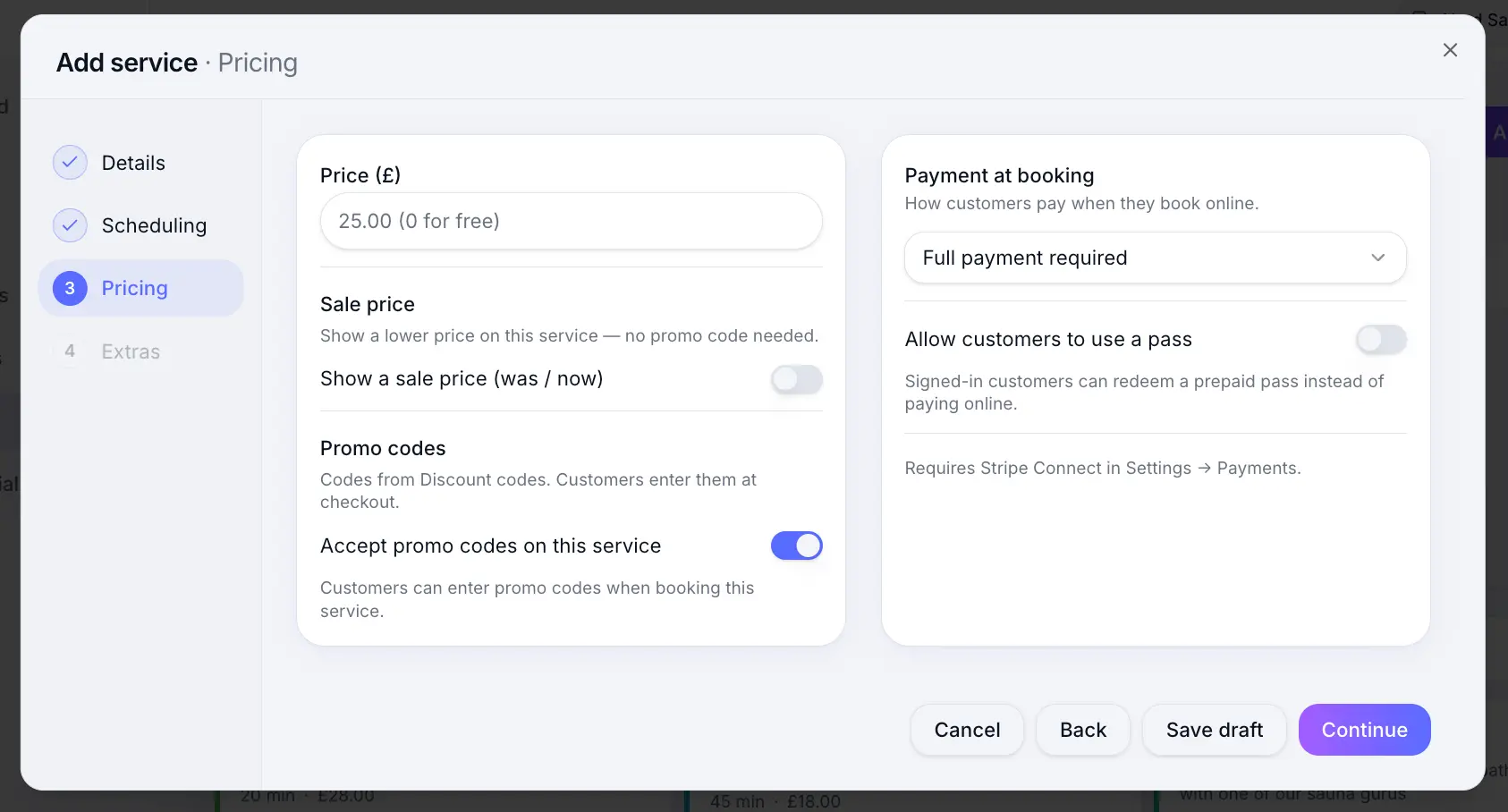
Step-by-step
Edit a service
Look for: Services
Set the price
Enter the standard price in pounds. This is used for full payment and deposit calculations.
Look for: Price
Enable a sale price (optional)
Turn on sale pricing and set a fixed or percentage discount.
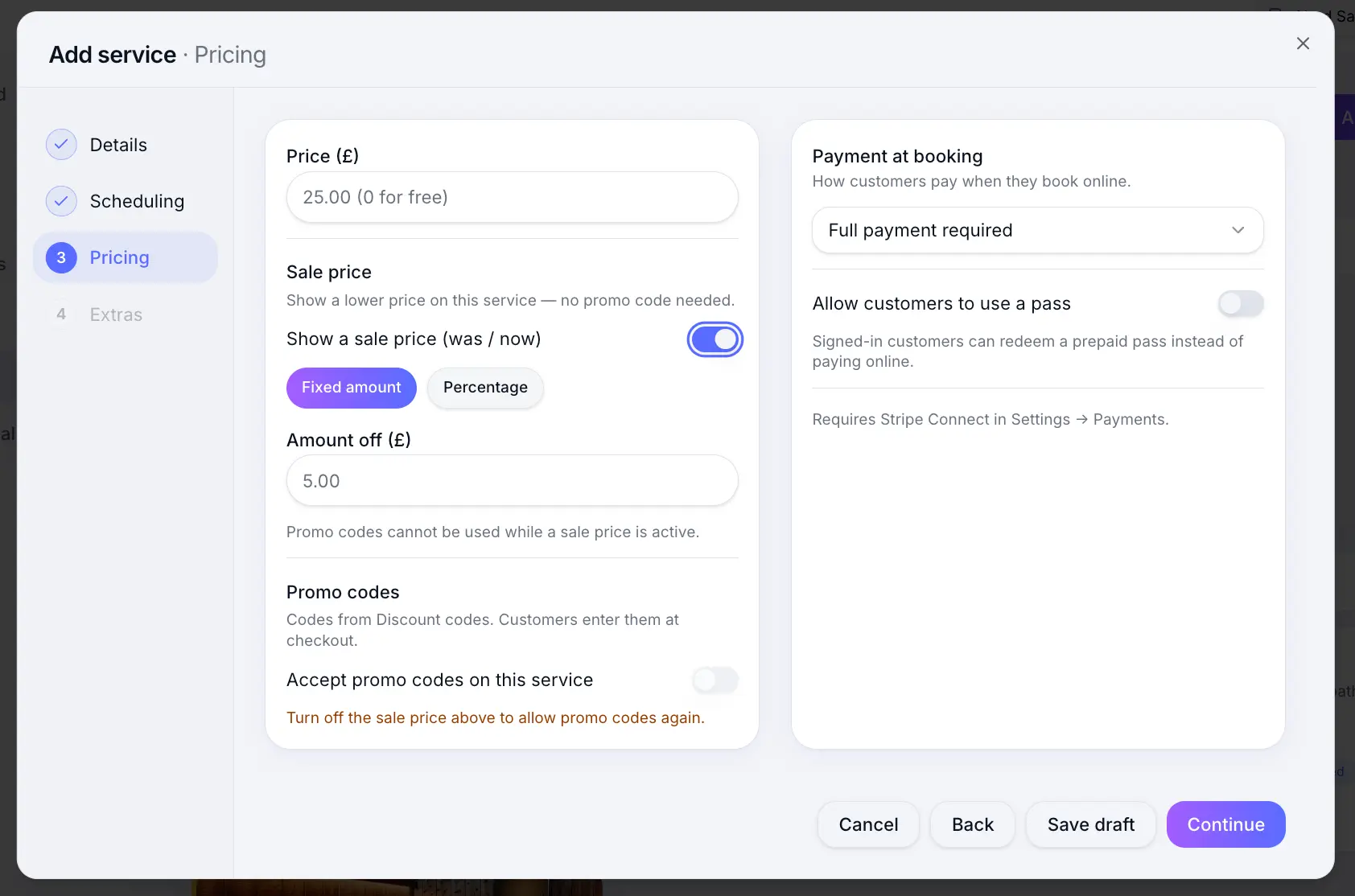
Sale prices appear on your public booking page. Save the service
Look for: Save
Common questions
Frequently asked questions
Yes. Deposits calculated as a percentage use the current (sale) price.
Related articles
Services
Payment options
Choose pay at venue, deposit, full payment, or pass required when customers book online.
Services
Promo codes per service
Allow or disallow discount codes on individual services.
Services
Setting up deposits
Require a deposit at booking — fixed amount or percentage — to reduce no-shows.
Still need help?
If this article didn't answer your question, search the help centre or contact our support team.
Sign in to open a tracked support ticket, or use the contact form.