

1:1 vs group bookings
Choose single booking per slot or multiple customers sharing the same start time.
Quick answer: On the Scheduling step, choose Single booking per slot for 1:1 appointments, or Multiple bookings per slot for group classes and shared sessions.
Overview
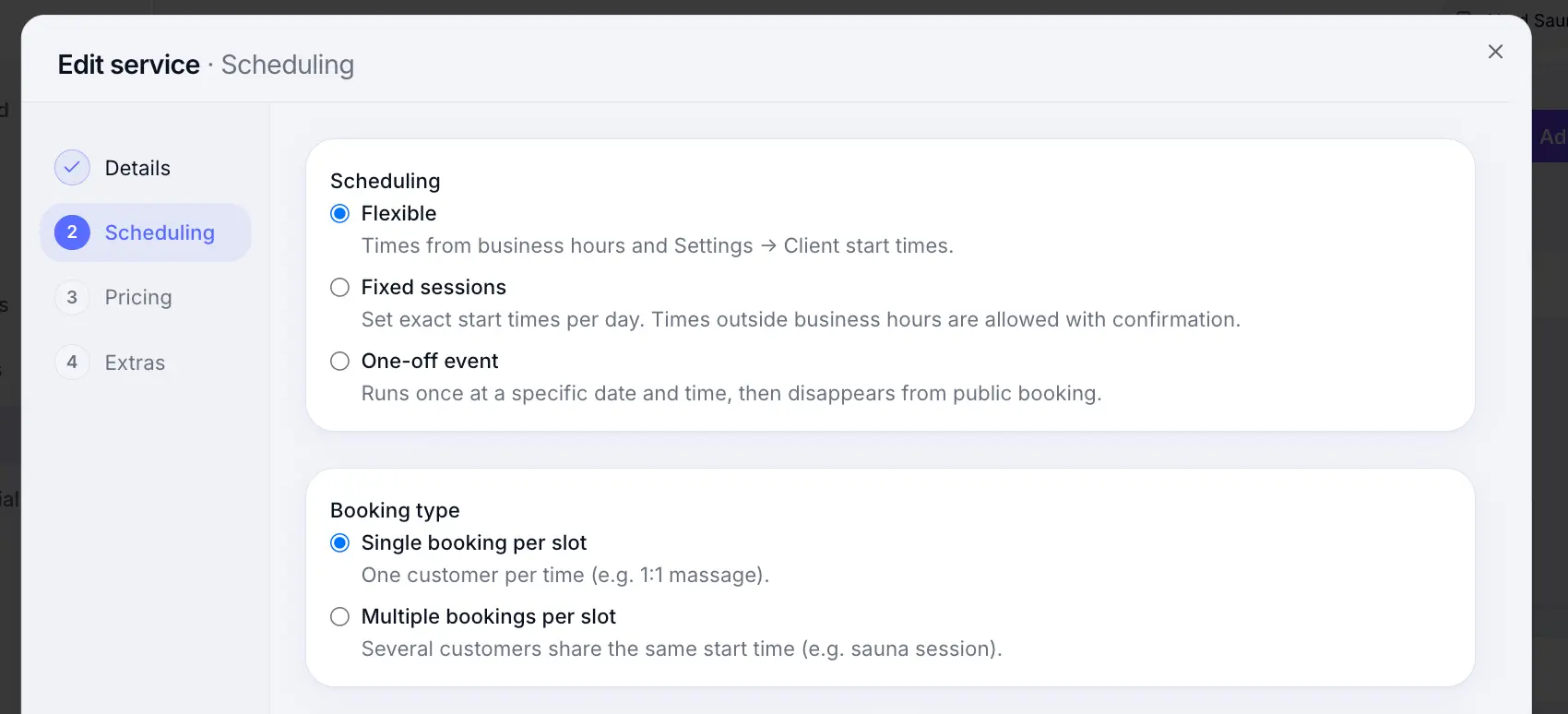
Booking type controls how many customers can occupy the same time slot. Use exclusive (1:1) for appointments where one client owns the slot, or capacity mode when several customers share a start time — like a yoga class or sauna session. Capacity services can optionally offer private hire: customers choose a shared spot or exclusive hire of the full slot.
Before you start
Tip
Fixed session and one-off services often use capacity mode. Flexible 1:1 services typically use single booking per slot.
Step-by-step
Add or edit a service
Look for: Add service
Open the Scheduling step
Look for: Scheduling
Choose Single booking per slot
One customer per time — ideal for massage, consultations, and private appointments.
Look for: Single booking per slot
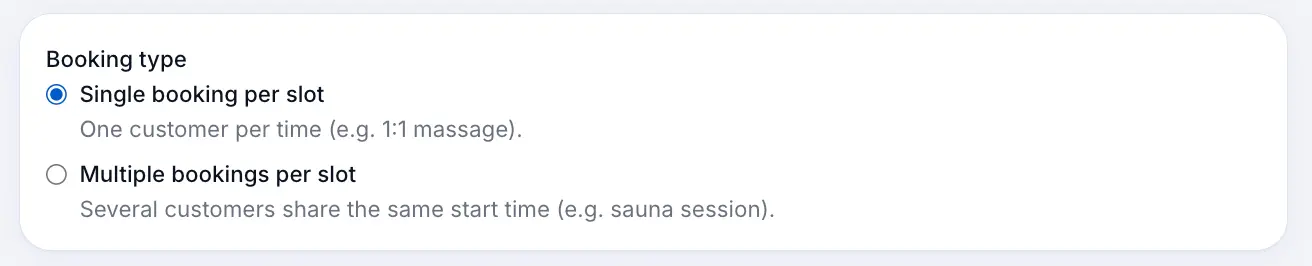
The slot is blocked once one customer books. Or choose Multiple bookings per slot (group)
Set Customers per time slot to the maximum attendees — e.g. 10 for a class. On Individual and above, you can also turn on Allow private hire so customers can book a shared spot or hire the whole slot at a private price.
Look for: Customers per time slot
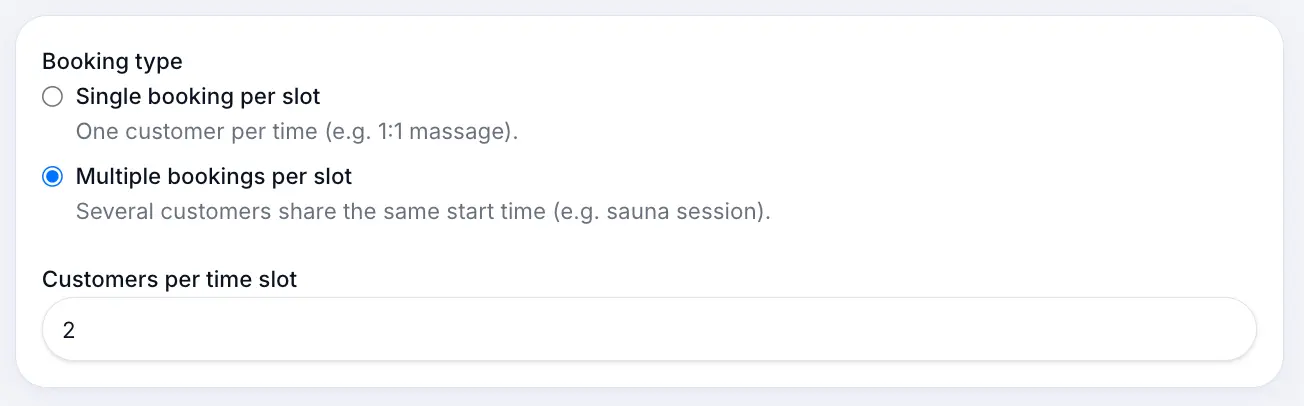
Several customers can book the same start time until capacity is full. Save the service
Look for: Save
What happens next
On your calendar, group slots show how many spots are filled. When a session is full, customers can join the waitlist if you have it enabled.
Managing group slotsRead →Waitlist settingsRead →Common questions
Frequently asked questions
Capacity mode requires at least 2 customers per time slot.
Related articles
Services
Flexible scheduling services
Create a 1:1 service where customers pick any available time during your business hours.
Services
Fixed session services
Create classes and events with fixed weekly start times and optional capacity.
Calendar & bookings
Managing group slots
View capacity, add bookings, and manage everyone in a shared session slot.
Still need help?
If this article didn't answer your question, search the help centre or contact our support team.
Sign in to open a tracked support ticket, or use the contact form.