

Payment options
Choose pay at venue, deposit, full payment, or pass required when customers book online.
Quick answer: On each service's Pricing step, set Payment at booking to no card, deposit, full payment, or pass required.
Before you start
- Stripe Connect active for deposit or full payment
Overview
Payment at booking controls whether customers pay online when they book, or simply reserve a slot and pay at your venue. You can mix options across different services.
| Option | When to use |
|---|---|
| No card (pay at venue) | Nothing charged at booking. Cash has no Stripe or Sway fee. Card at the venue (QR, payment link, or card reader) still does. |
| Deposit | Secure the booking with an upfront card payment |
| Full payment required | Collect the full service price at booking |
| Pass required | Customer must redeem a prepaid pass (Team plan) |
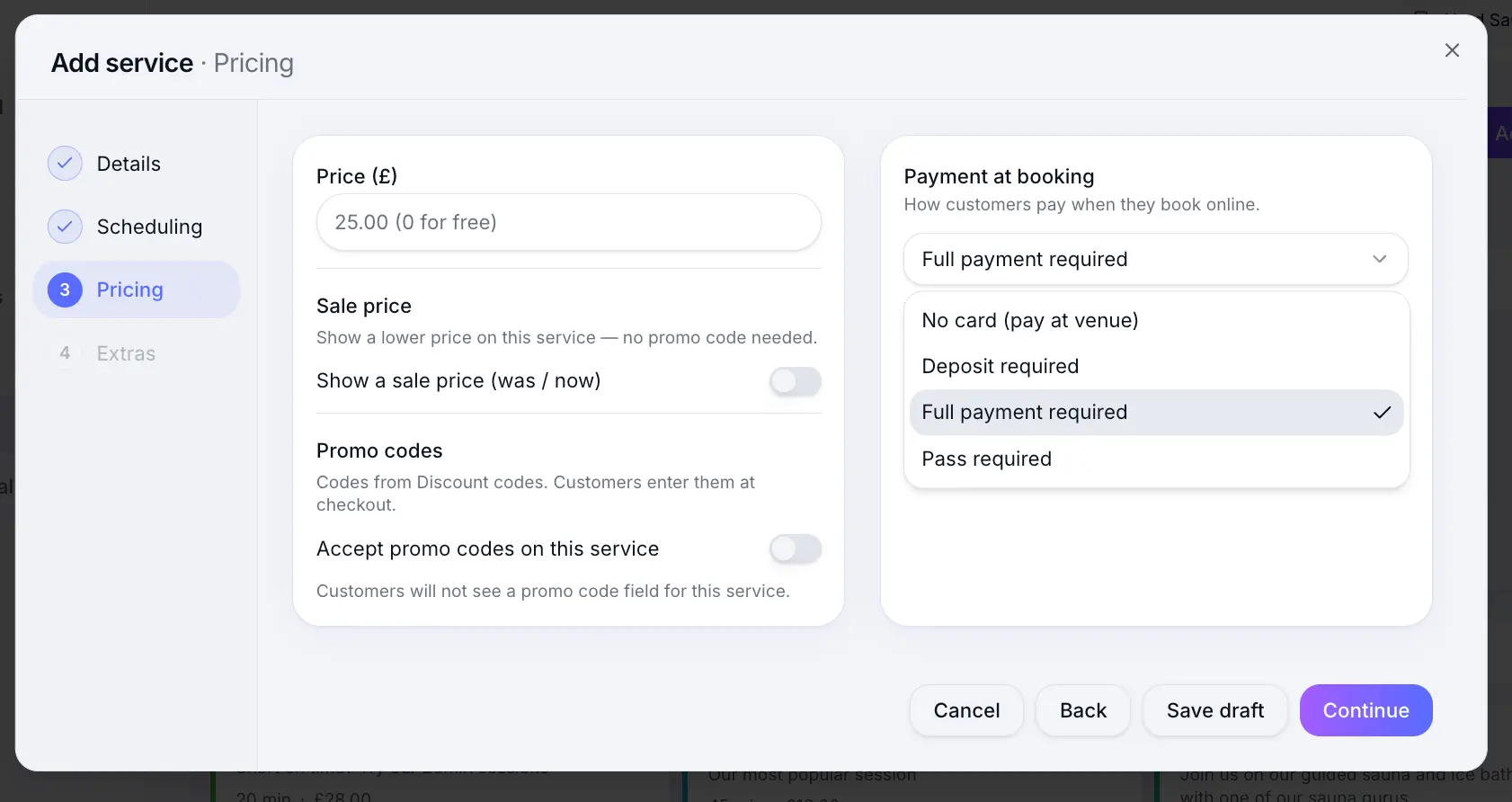
Before you start
Note
Deposits and full payment require an active Stripe Connect account. Pay at venue lets customers book without paying then. Cash on the day works without Stripe. Taking a card at the venue — QR code, payment link, or card reader — needs Stripe, and those payments include Stripe's fee and the Sway platform fee.
Step-by-step
Add or edit a service
Look for: Add service
Open the Pricing step
Look for: Pricing
Choose Payment at booking
Select the option that fits this service. Deposit and full payment show extra amount fields below.
Look for: Payment at booking
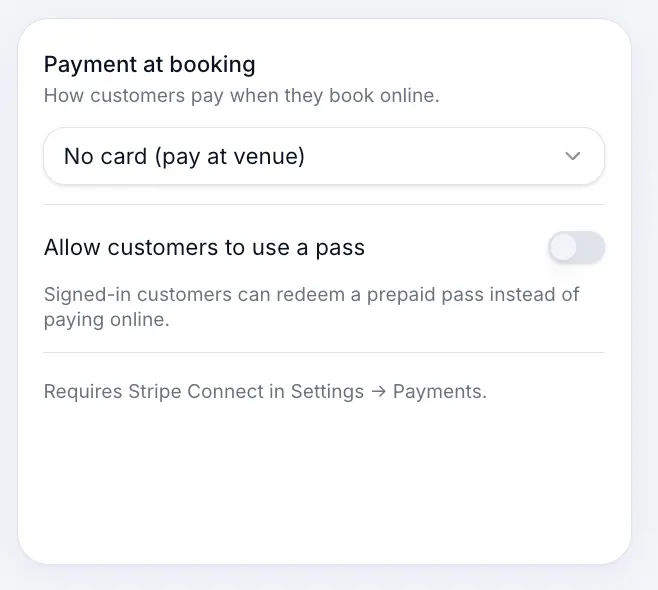
Use pay at venue when you collect payment in person. Configure deposit or full payment (if selected)
For deposits, set a fixed £ amount or percentage. Full payment uses the service price.
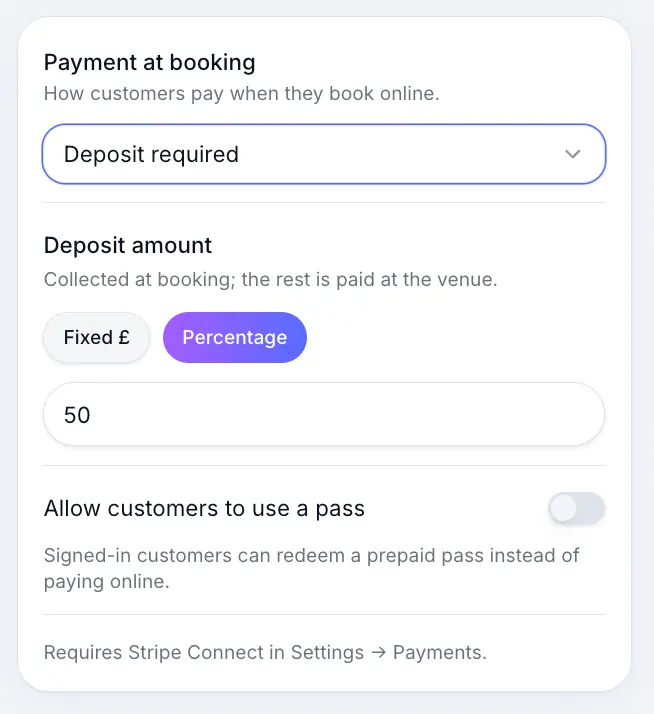
Stripe must be connected for online card payments. Save the service
Look for: Save
What happens next
Customers see the payment requirement during checkout on your booking page. Deposits and full payments are processed through your Stripe account.
Setting up depositsRead →Platform & Stripe feesRead →Common questions
Frequently asked questions
Yes. Each service has its own Payment at booking setting.
Related articles
Services
Setting up deposits
Require a deposit at booking — fixed amount or percentage — to reduce no-shows.
Settings
Connecting Stripe for payments
Connect Stripe to accept deposits and full payments online at booking.
Services
Pass redemption on services
Allow or require prepaid passes when customers book online.
Still need help?
If this article didn't answer your question, search the help centre or contact our support team.
Sign in to open a tracked support ticket, or use the contact form.