

Grouping services into sections
Organise services into sections on your public booking page.
Quick answer: Create sections on the Services page to group related services — e.g. Haircuts, Colour, Treatments — on your booking page.
Overview
Sections help customers browse when you offer many services. Each service can belong to one section, and sections appear as headings on your public booking page.
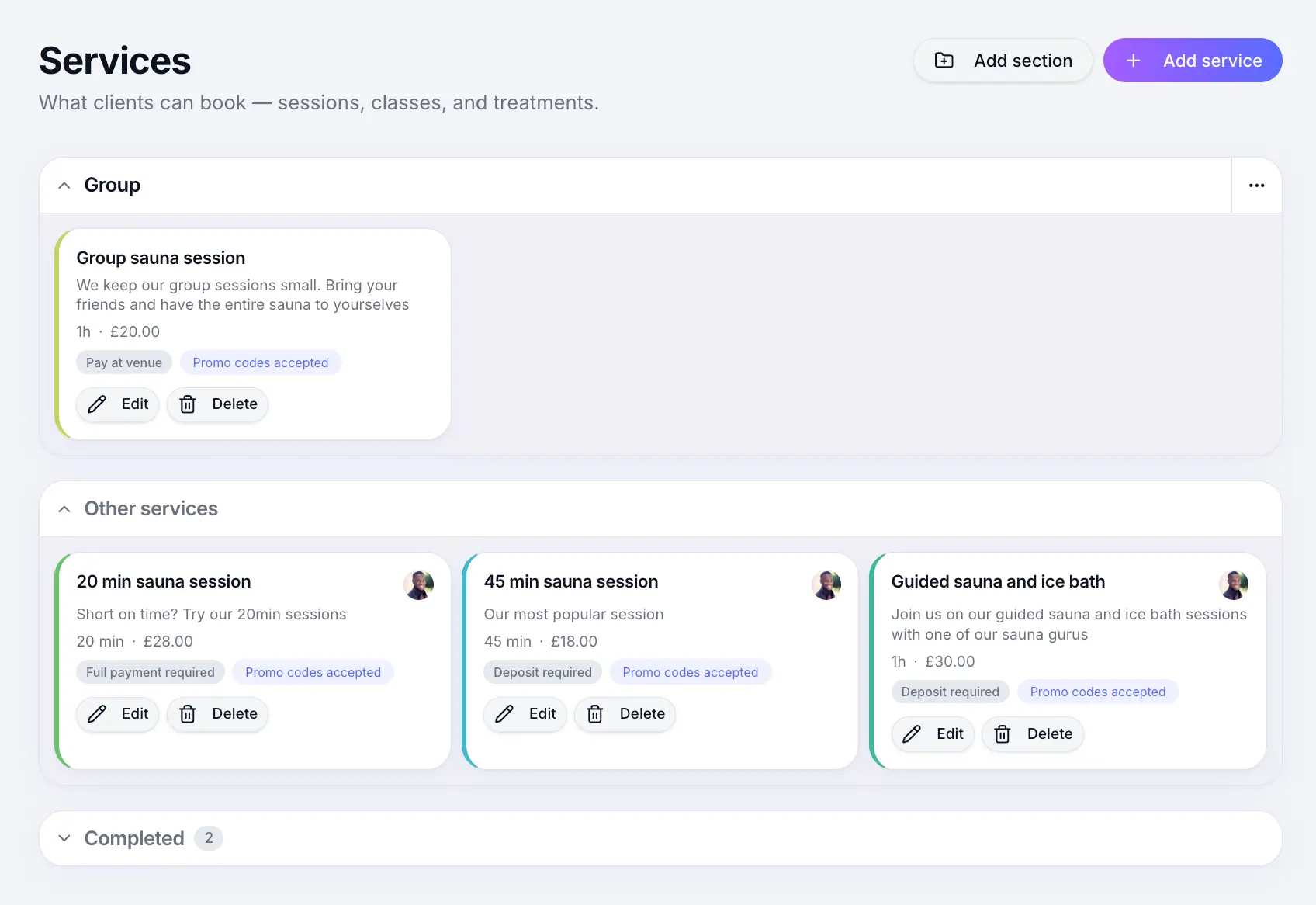
Step-by-step
Open Services
Look for: Services
Create a section
Add a new section and give it a name customers will recognise.
Look for: Add section
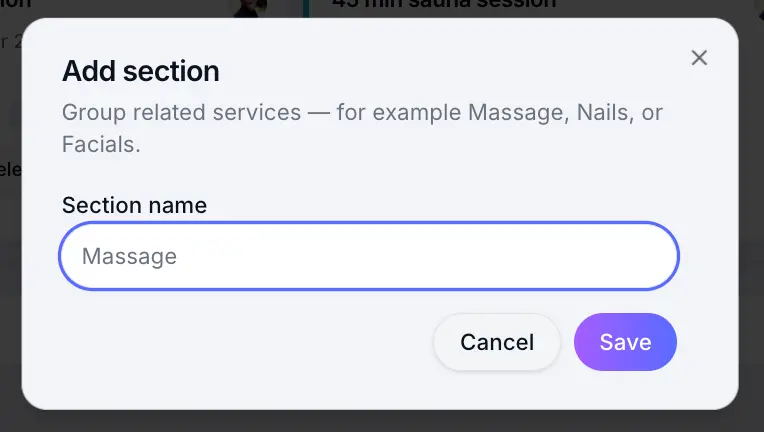
Name sections clearly for customers. Assign services to a section
When editing a service, choose a section on the Details step.
Look for: Section
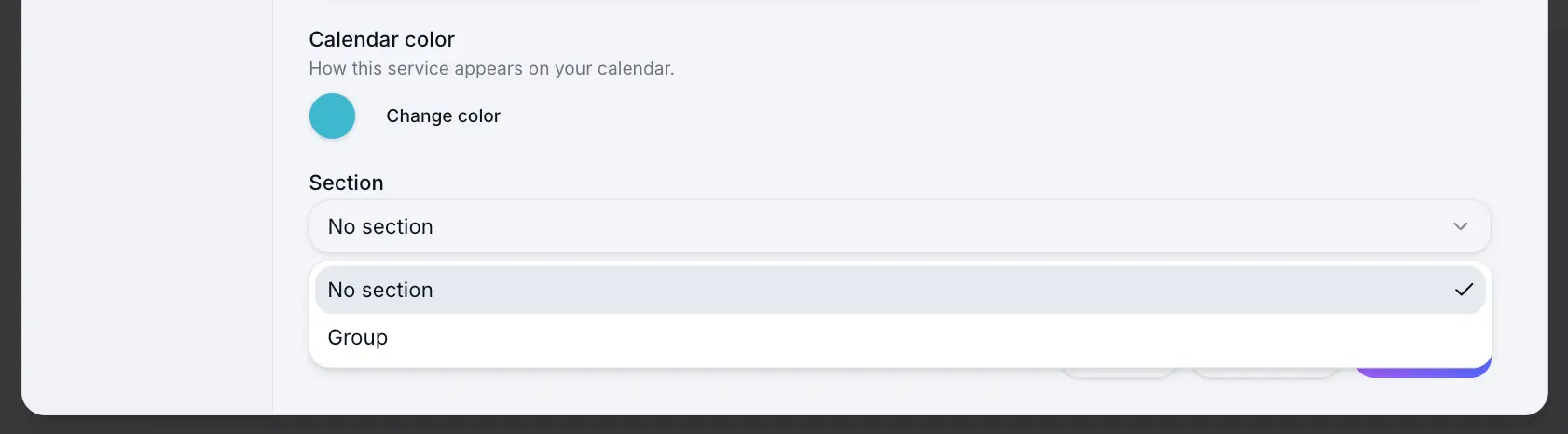
Services without a section appear under a default group.
Common questions
Frequently asked questions
No. Each service belongs to one section, or no section.
Related articles
Still need help?
If this article didn't answer your question, search the help centre or contact our support team.
Sign in to open a tracked support ticket, or use the contact form.