

Setting up deposits
Require a deposit at booking — fixed amount or percentage — to reduce no-shows.
Quick answer: Set a deposit (fixed £ or %) on a service's Pricing step — customers pay it online when they book.
Before you start
- Stripe Connect active
Overview
Deposits let you secure bookings with an upfront card payment. The remaining balance can be collected in person or via a payment link, depending on your setup.
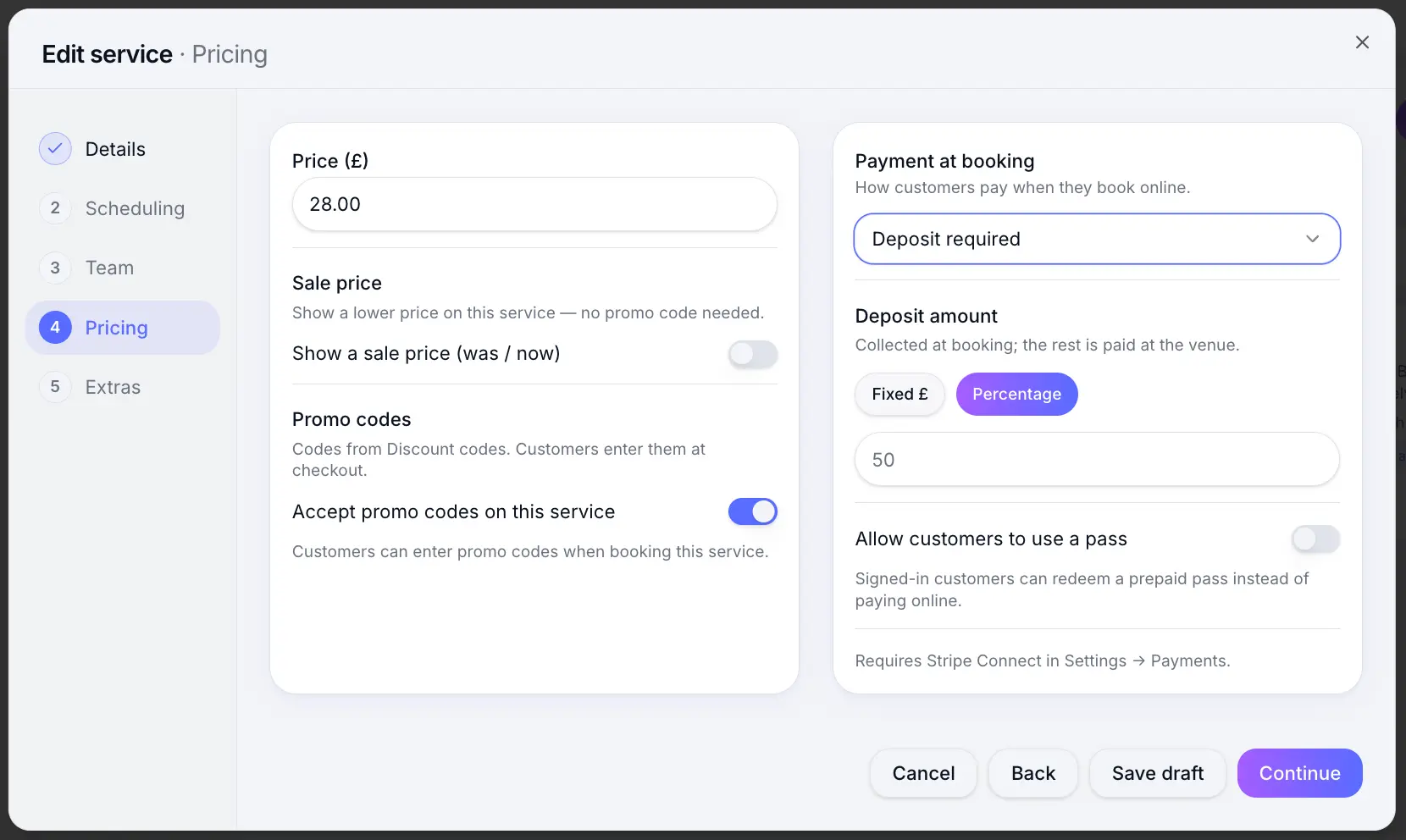
Before you start
Note
Stripe Connect must be active before customers can pay a deposit online.
Step-by-step
Open the service Pricing step
Look for: Pricing
Choose Deposit under Payment at booking
Look for: Deposit
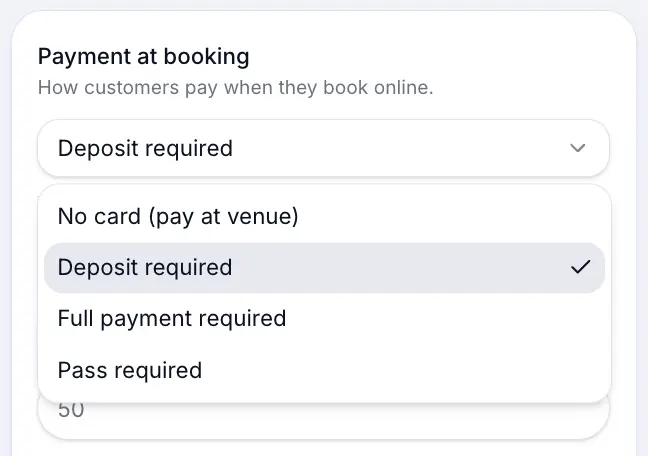
Select Deposit as the payment option. Set the deposit amount
Enter a fixed amount in £ or a percentage of the service price.
Look for: Deposit amount
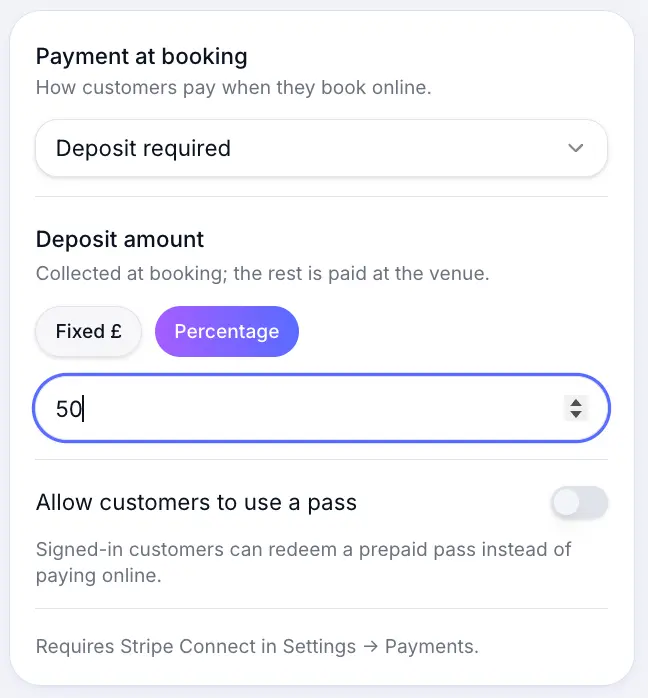
Choose a fixed £ amount or percentage of the service price. Save the service
Look for: Save
What happens next
Customers pay the deposit at checkout. Set your refund cutoff window under Business profile so customers know when cancellations qualify for a refund.
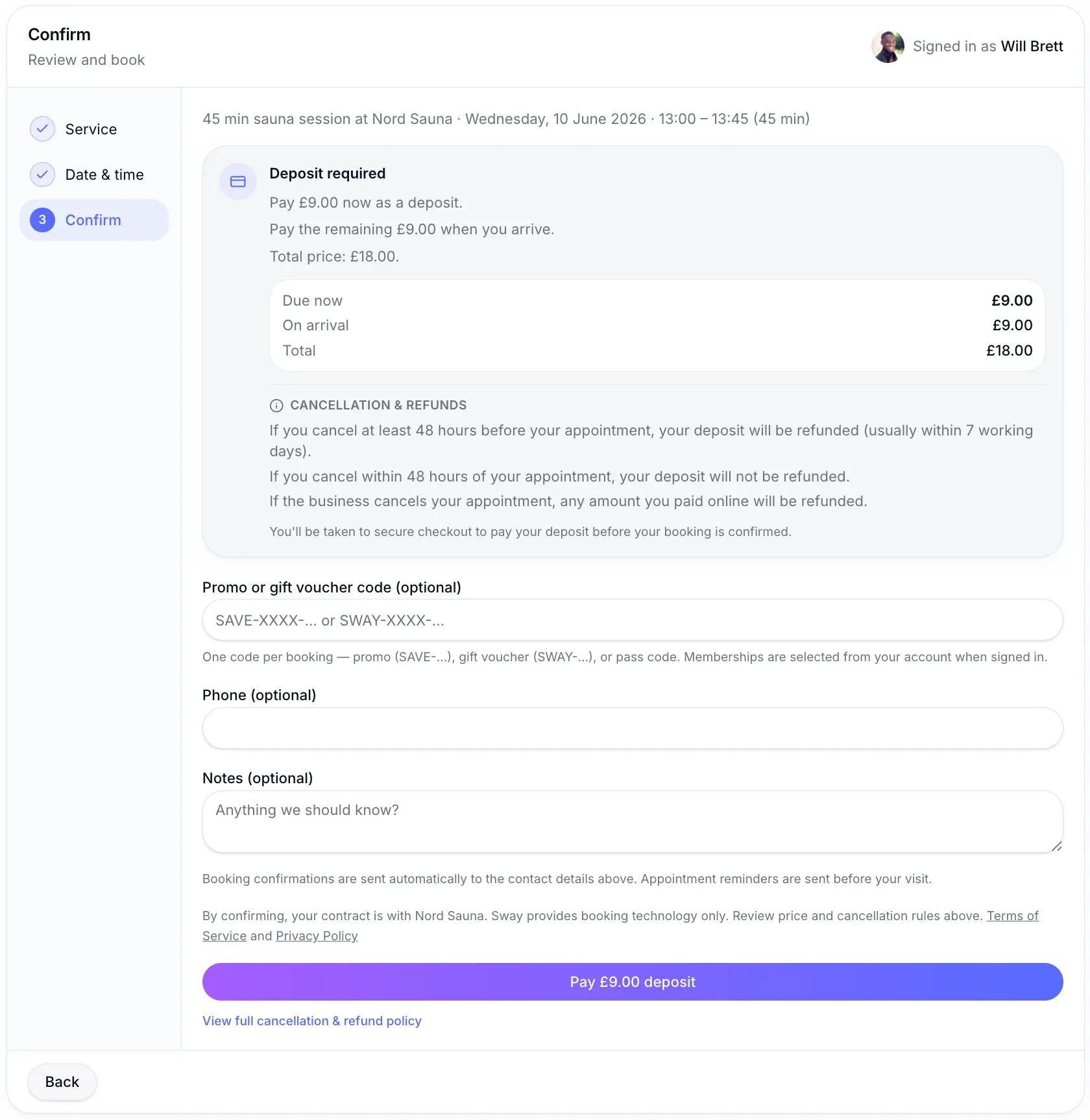
Common questions
Frequently asked questions
Yes. Each service has its own deposit settings on the Pricing step.
Related articles
Settings
Connecting Stripe for payments
Connect Stripe to accept deposits and full payments online at booking.
Services
Payment options
Choose pay at venue, deposit, full payment, or pass required when customers book online.
Settings
Refund cutoff window
Set how many hours before an appointment customers can cancel and receive a refund.
Still need help?
If this article didn't answer your question, search the help centre or contact our support team.
Sign in to open a tracked support ticket, or use the contact form.