

Adding locations
Main and additional booking locations for your business.
Quick answer: Set your main address in Business profile. On the Individual plan, add up to five booking locations and assign them to weekdays under Scheduling.
Overview
Every business has a main location used for directory search, maps, and as the default booking place. Individual plan businesses can add extra locations — for example a home salon and a rented studio — and control which location is used each day.
- Main location — required on all plans, set in Business profile
- Additional locations — up to 5 on Individual
- Weekly schedule — assign locations per weekday in Scheduling
- Each location has its own public address privacy setting
Before you start
Individual plan
Multiple booking locations are included on the Individual plan — add up to five places from Business profile. Free and Team include one main location only.
Step-by-step
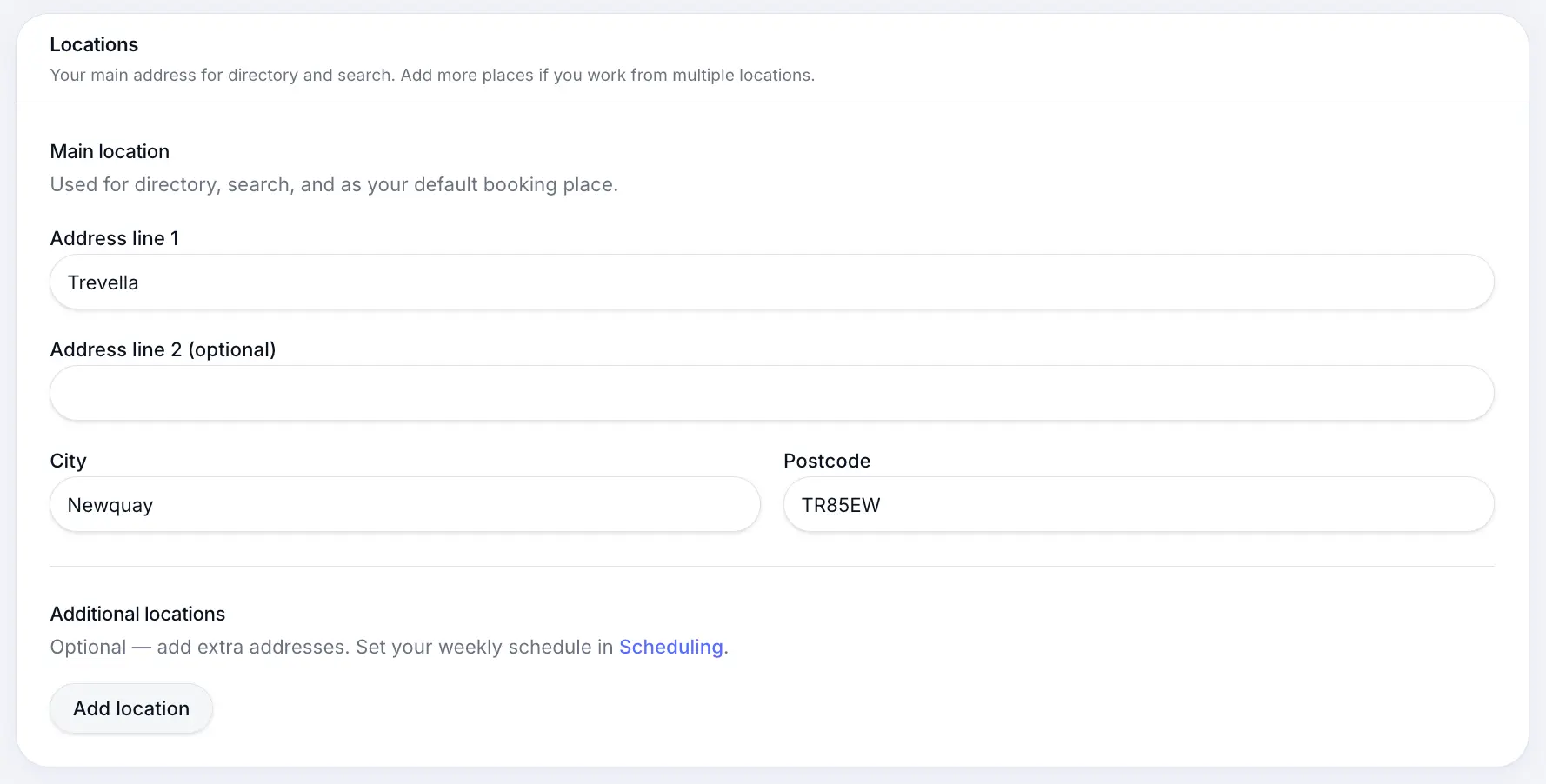
Set your main location
Under Locations in Business profile, enter your primary address. This syncs to your default booking location.
Look for: Main location
Add an extra location
On Individual, click Add location, give it a name, and enter the address. You can add up to five active locations.
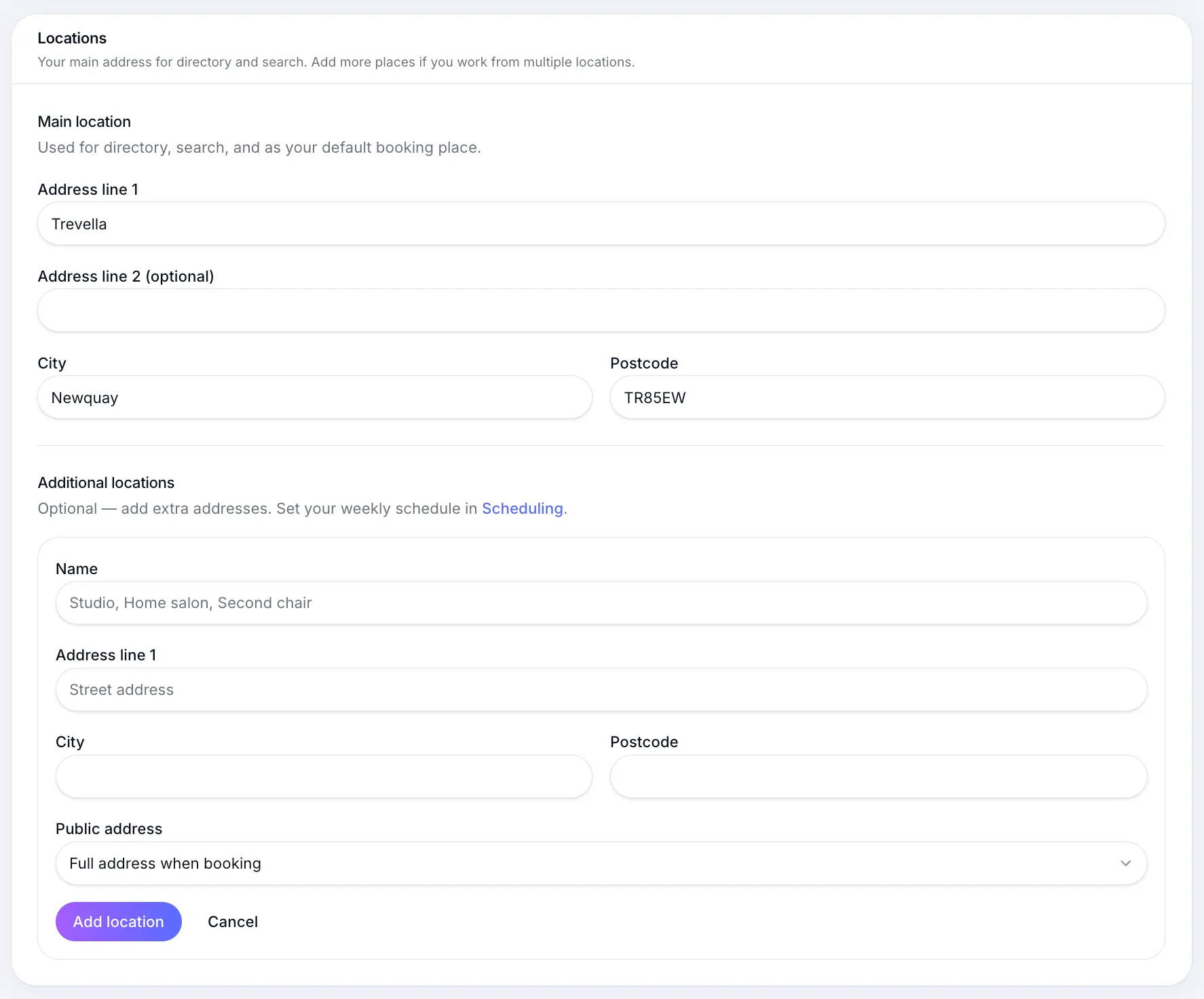
Name each place clearly — customers may choose between them when booking. Assign locations by weekday
Open Scheduling settings to set which location you work from on each day of the week.
Look for: Scheduling
Common questions
Frequently asked questions
When you have multiple active locations, customers may see the relevant location for their chosen day or service.
Related articles
Settings
Business profile settings
Name, photos, contact details, locations, and public presence for your booking page.
Settings
Full address vs area-only
Control how much address customers see before they book.
Settings
Weekly location assignment
Assign which booking location you work from on each weekday — Individual plan.
Still need help?
If this article didn't answer your question, search the help centre or contact our support team.
Sign in to open a tracked support ticket, or use the contact form.