

Embedding booking on your website
Add the Sway booking widget to your existing website (Individual plan and above).
Quick answer: Copy the embed code from Embed in the business sidebar and paste it into your website. Requires Individual plan or above.
Before you start
- Individual plan or above
Overview
The embed widget lets customers book directly on your website without leaving your site. It shows your services and booking flow in an iframe or inline widget.
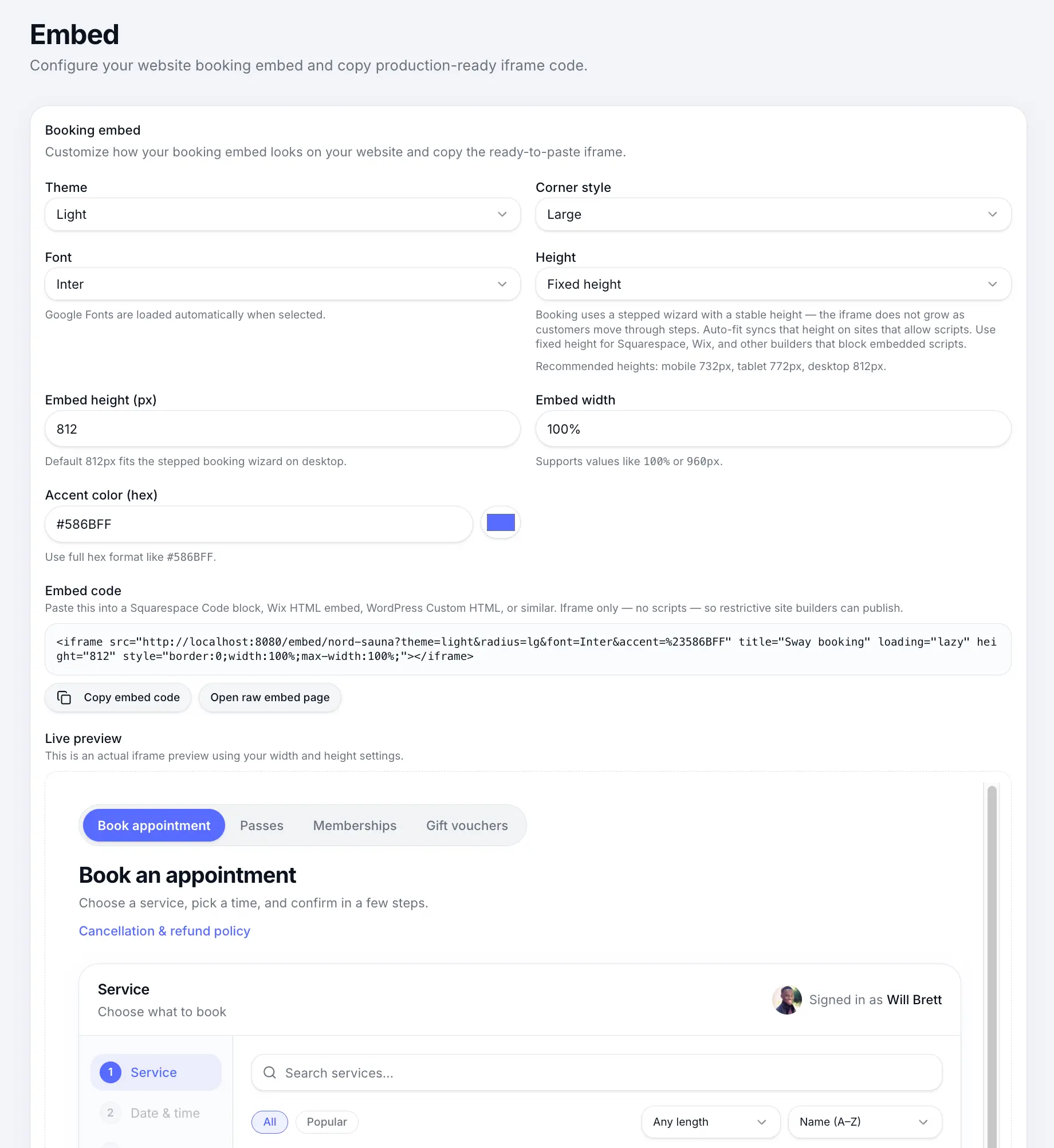
Step-by-step
Open Embed
Look for: Embed
Copy the embed code
Copy the script or iframe snippet provided for your business.
Look for: Copy
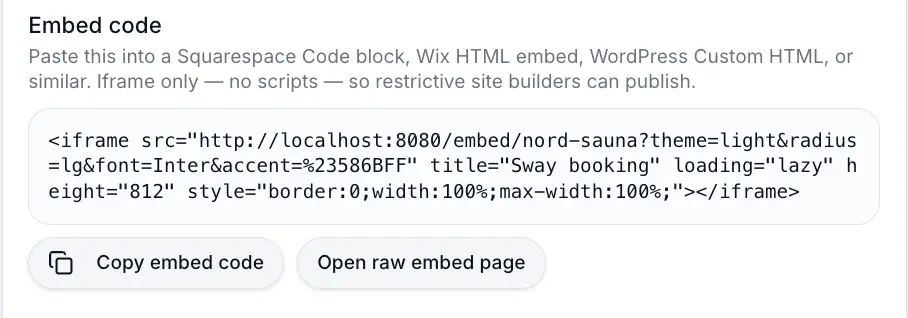
Paste this into your website HTML. Add to your website
Paste the code where you want booking to appear — typically a dedicated Book page or homepage section.
Common questions
Frequently asked questions
No. Website embed requires Individual plan or above.
Related articles
Getting started
Your public booking page
Share your booking link and understand what customers see when they book online.
Settings
Sharing your booking page link
Find your public booking URL in Business profile and share it with customers.
Plans & billing
Sway plans compared
Compare Free, Individual, and Team plans — features, limits, platform fees, and which plan fits your business.
Still need help?
If this article didn't answer your question, search the help centre or contact our support team.
Sign in to open a tracked support ticket, or use the contact form.