

Auto-block UK bank holidays
Automatically close your calendar on official UK bank holidays.
Quick answer: Turn on Auto-block UK bank holidays under Scheduling to close your calendar on official holidays from GOV.UK. Choose England & Wales, Scotland, or Northern Ireland.
Overview
Sway can automatically block your calendar on UK bank holidays using the official GOV.UK calendar. Pick your region so Scotland and Northern Ireland holidays are handled correctly.
- Uses official GOV.UK bank holiday data
- Choose England & Wales, Scotland, or Northern Ireland
- Blocks apply to all staff for the full day
- Manual closures still available for other days off
Before you start
Note
Sway suggests a region based on your postcode. You can override it if you serve customers in a different nation.
Step-by-step
Open Scheduling settings
Look for: Scheduling
Find Time off & blocks
Scroll to the Time off & blocks section.
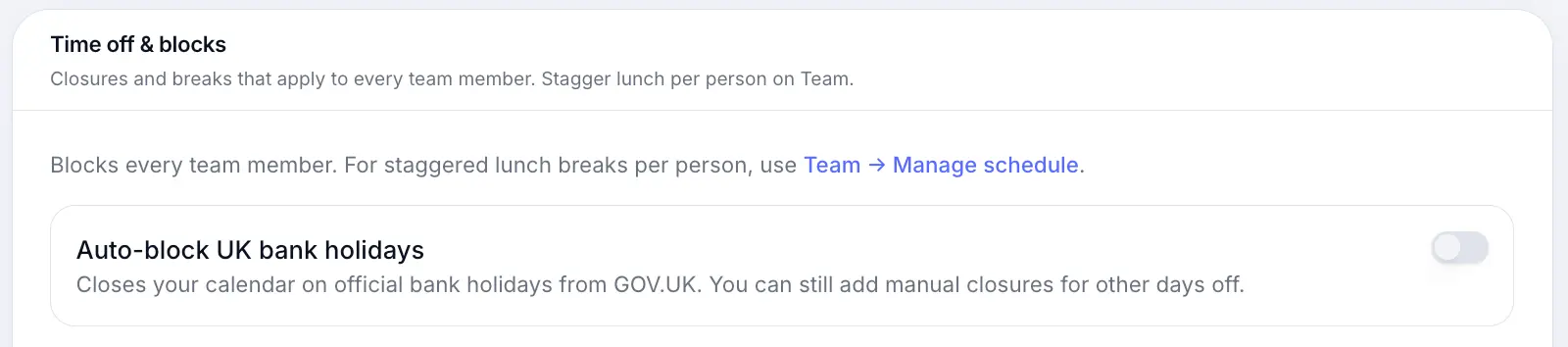
Turn on Auto-block UK bank holidays
Look for: Auto-block UK bank holidays
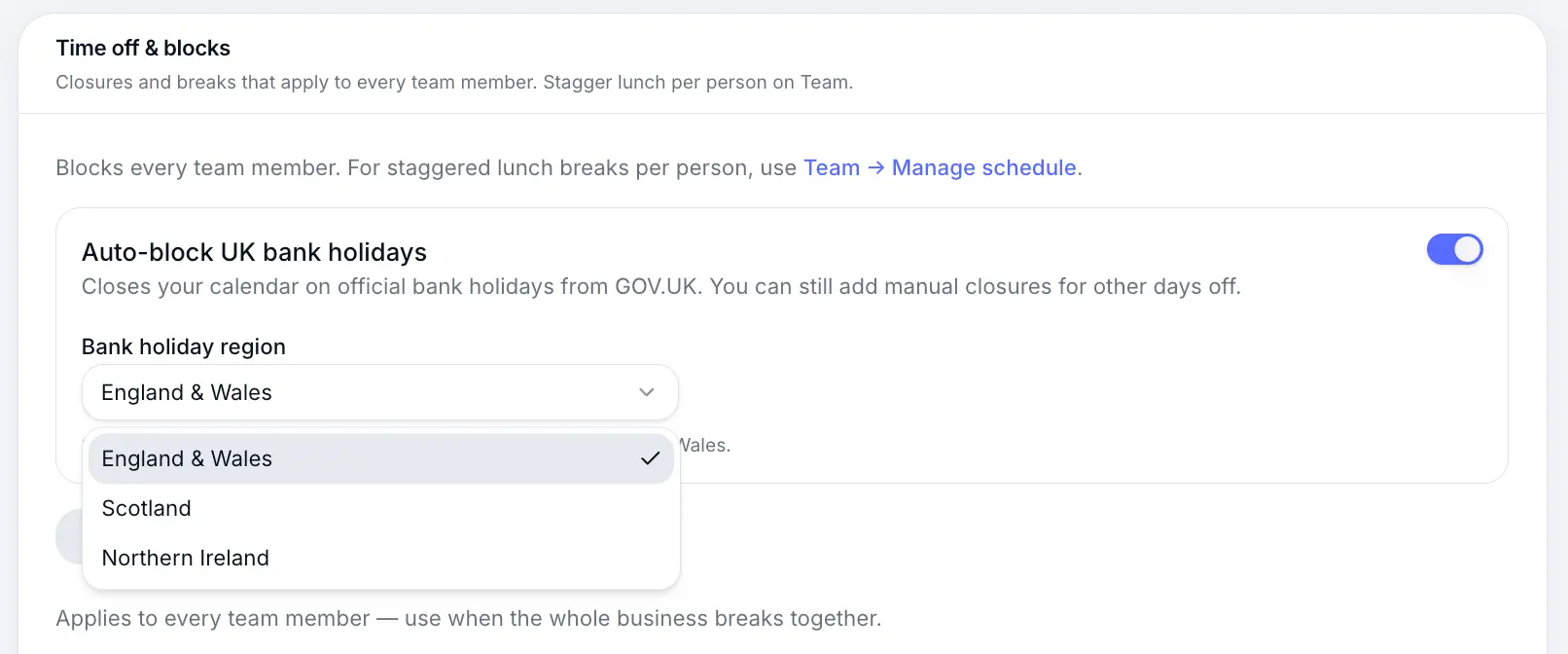
Select the region whose bank holidays apply to your business. Confirm on your calendar
Bank holiday dates appear as all-day blocks. Customers cannot book on those days.
Common questions
Frequently asked questions
Turn the toggle off, or add manual availability for specific dates. Auto-block applies to all official holidays in your chosen region.
Related articles
Settings
Holiday closures
Block date ranges when your business is closed — bank holidays, annual leave, or renovations.
Settings
Setting business hours
Set which days you're open and your daily opening times for customer bookings.
Settings
Recurring breaks
Shared lunch breaks and recurring time blocks for the whole business.
Still need help?
If this article didn't answer your question, search the help centre or contact our support team.
Sign in to open a tracked support ticket, or use the contact form.