

Holiday closures
Block date ranges when your business is closed — bank holidays, annual leave, or renovations.
Quick answer: Add holiday or closure blocks under Scheduling settings to prevent bookings on specific dates.
Overview
Closure blocks mark days or date ranges when you're unavailable. Customers can't book during closures, and the dates appear blocked on your calendar.
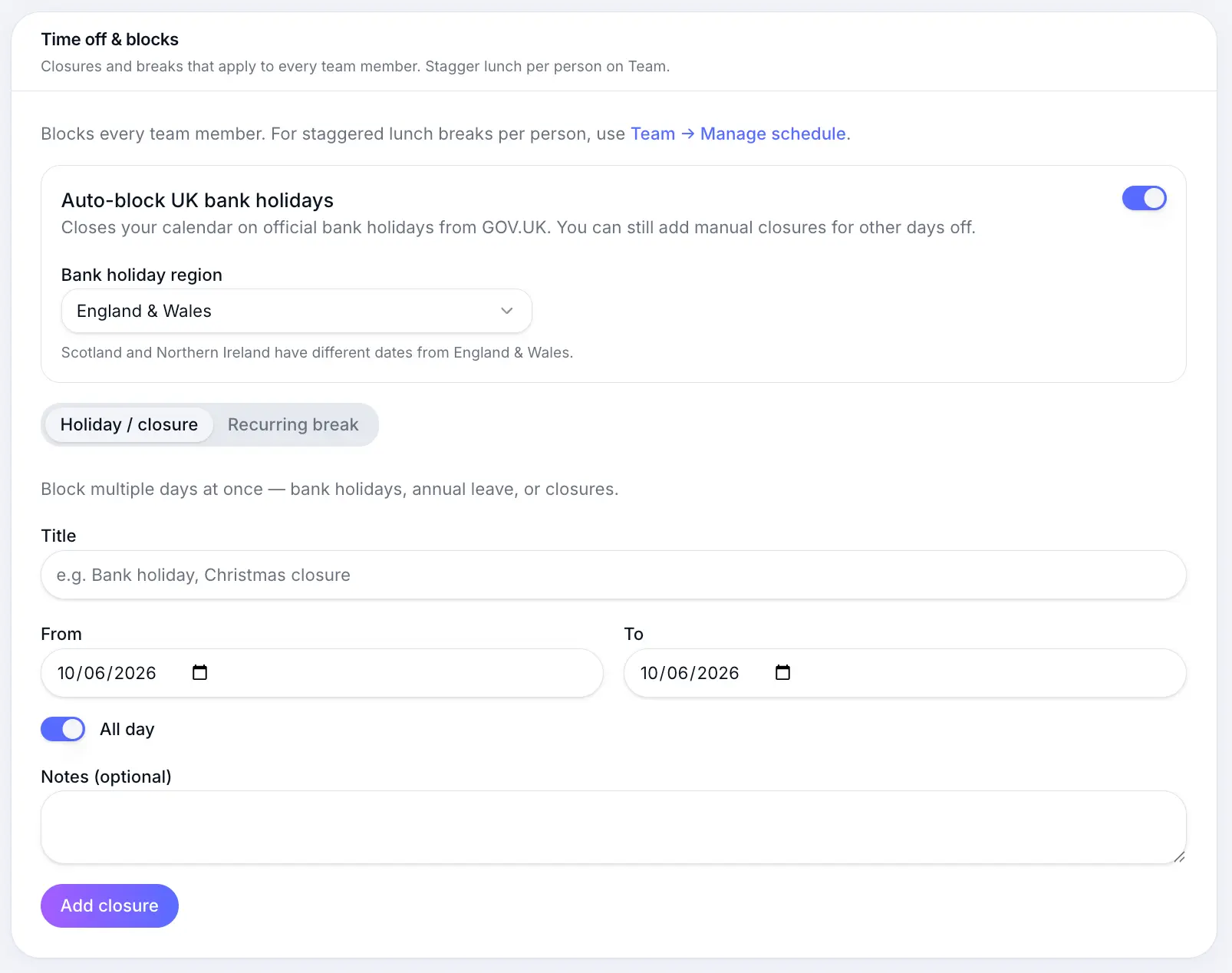
Step-by-step
Open Scheduling settings
Look for: Scheduling
Add a holiday or closure
Enter a label, start date, and end date. Multi-day closures cover the full range.
Look for: Add closure
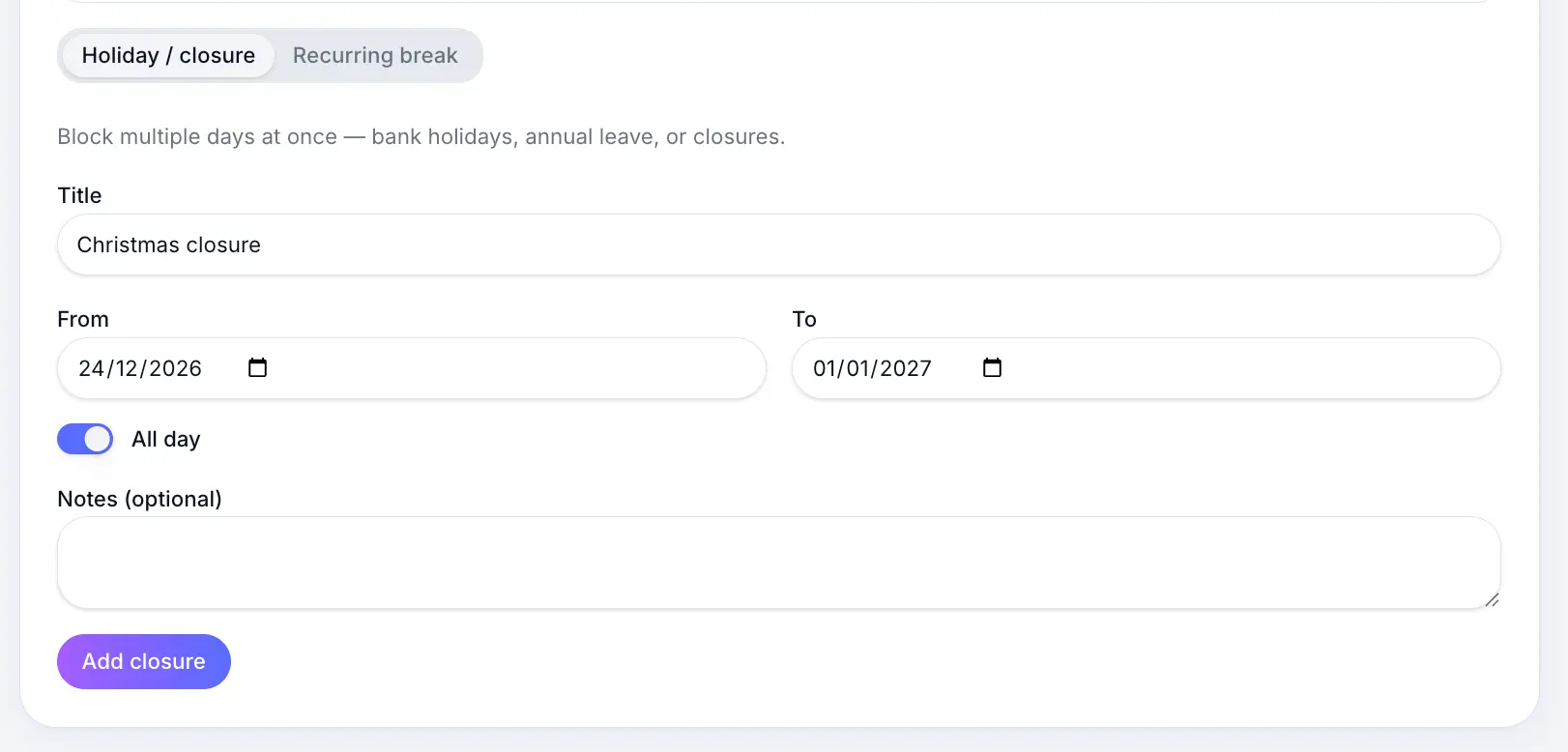
Name closures so they're easy to spot on the calendar. Confirm on calendar
Closed dates show as blocks and are hidden from your booking page.
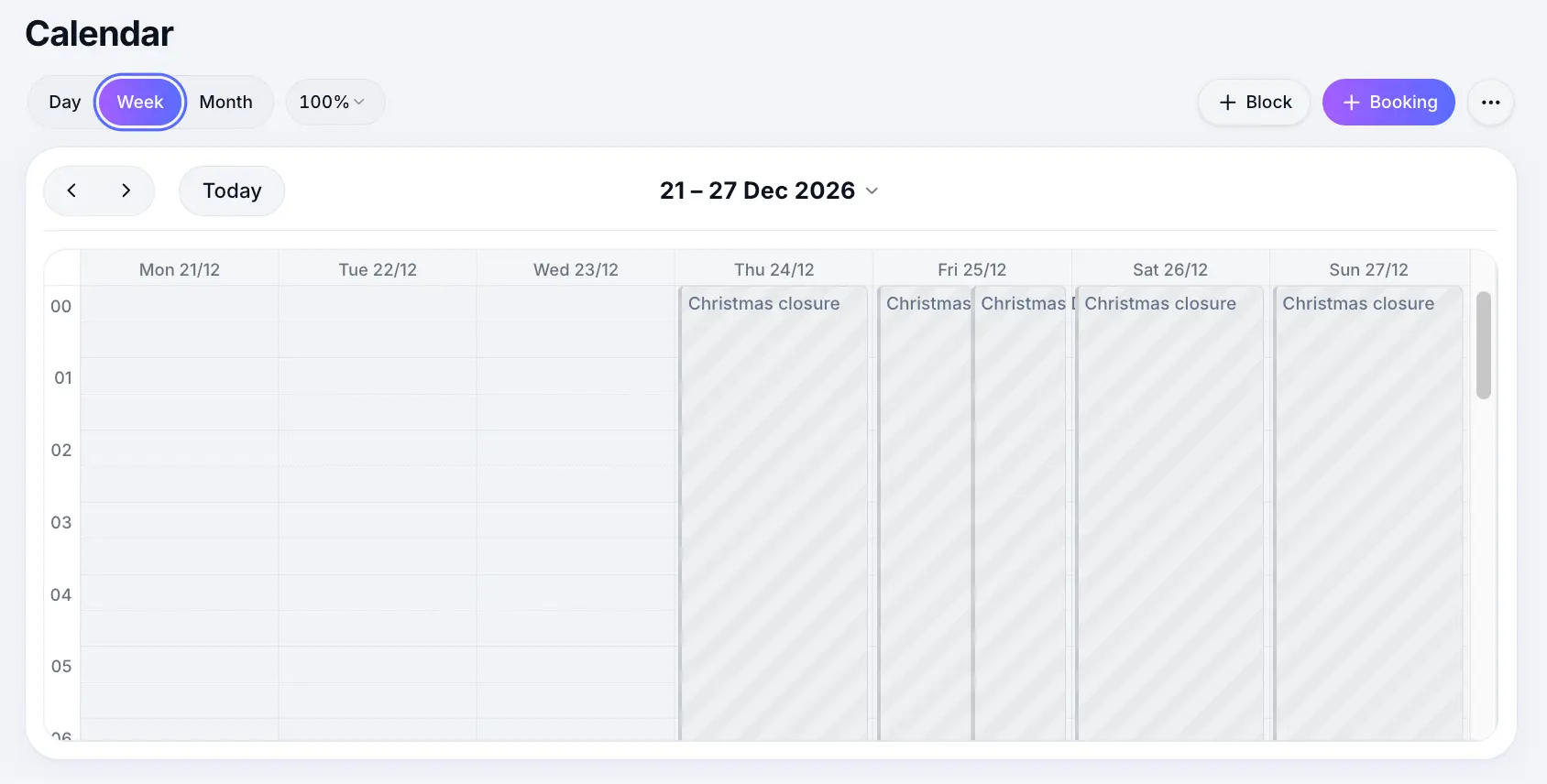
Closures appear on your calendar immediately.
Common questions
Frequently asked questions
Adding a closure doesn't auto-cancel bookings. Reschedule or cancel affected bookings manually.
Related articles
Still need help?
If this article didn't answer your question, search the help centre or contact our support team.
Sign in to open a tracked support ticket, or use the contact form.