

Closing your account
Permanently delete your business workspace, personal workspace, or your entire Sway account.
Quick answer: Delete account is under Account settings. Type DELETE to confirm. You can remove your business only, personal only, or your entire account.
Overview
Closing your account permanently deletes data — it cannot be undone. This is different from cancelling a subscription, which moves you to Free but keeps your business.
- Cancel subscription — stops billing, keeps your data on Free
- Delete business workspace — removes your business and cancels its subscription
- Delete personal workspace — removes your customer booking history
- Delete entire account — removes everything on your email
Note
Only the business owner can delete a business workspace. Staff members cannot delete the business account.
Before you start
If you only want to stop your subscription, use Cancel subscription on Billing instead.
Open Account settings in SwayDelete as a business owner
Open Account settings
From the business sidebar: Settings → Account.
Look for: Account

The delete option is at the bottom of Account settings. Click Delete account
Look for: Delete account
Choose what to remove
If you have both business and personal workspaces, pick: entire account, business only, or personal only.
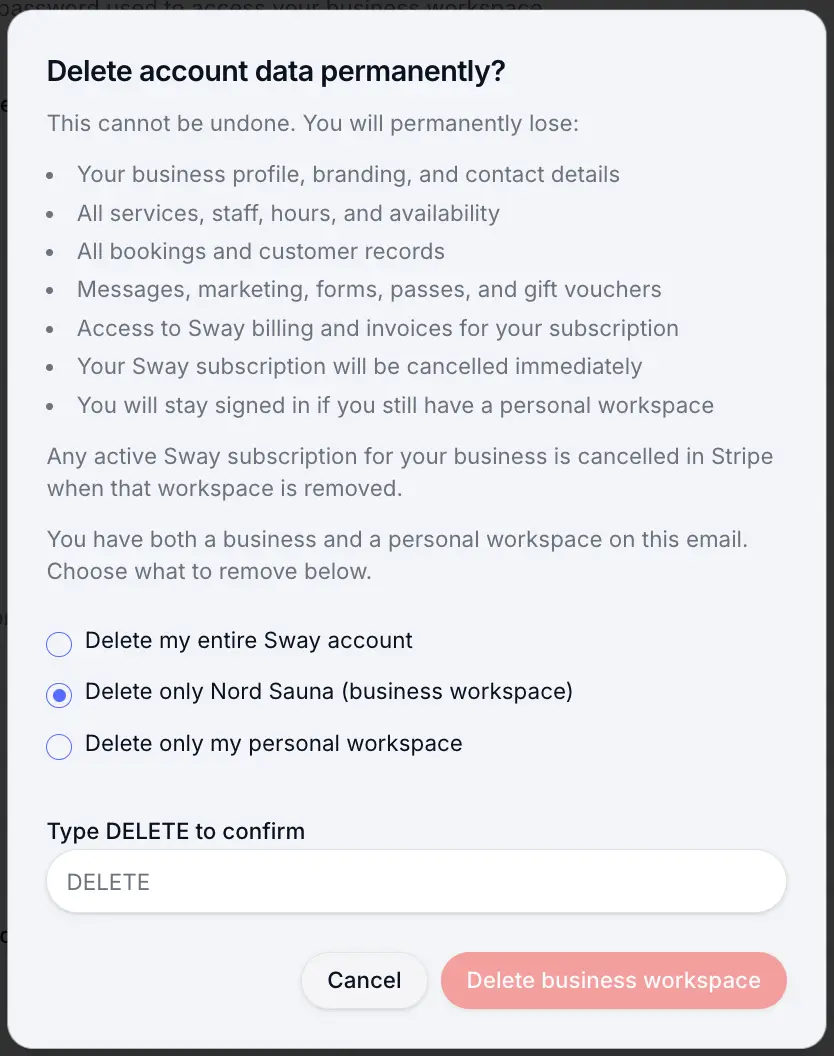
Pick the scope that matches what you want to remove. Type DELETE and confirm
Look for: DELETE
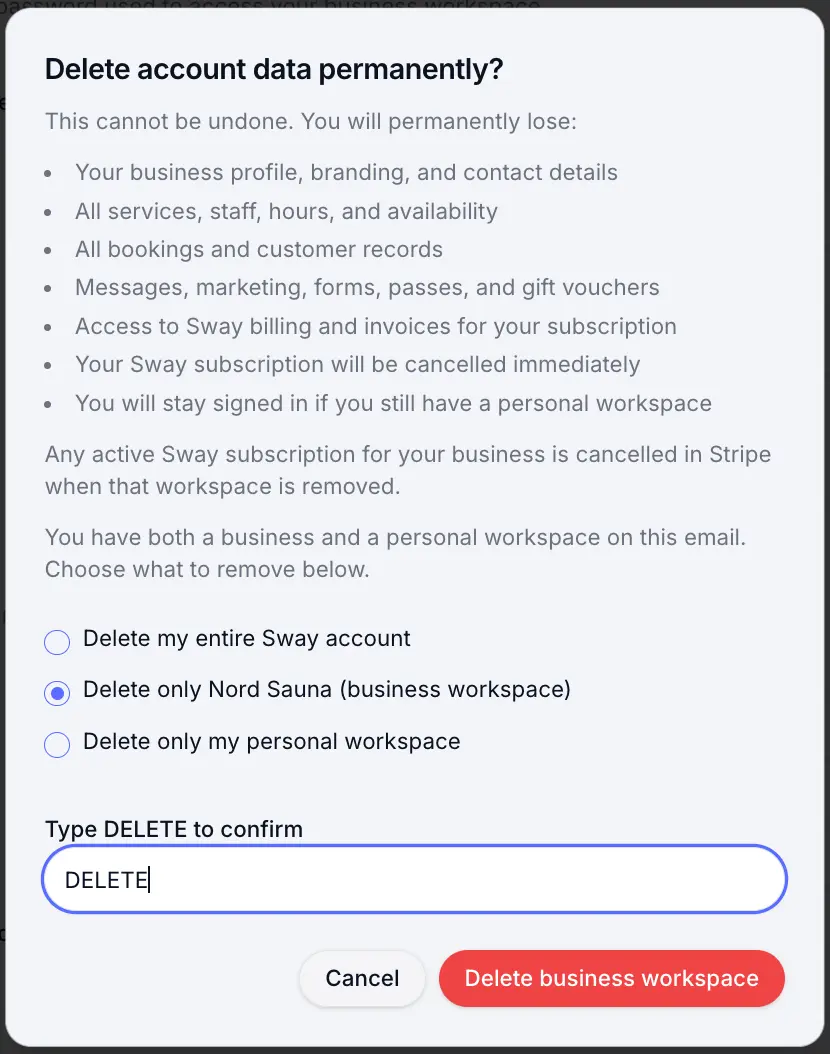
Deletion is permanent once confirmed.
Delete as a customer
Customers delete from Personal settings at /personal/settings. You can remove your personal workspace or your entire account if you also run a business on the same email.
Open Personal settings in SwayWhat is deleted
Deleting a business workspace removes your profile, services, staff, bookings, customers, messages, forms, passes, and gift vouchers. Your Sway subscription is cancelled in Stripe immediately.
- Business workspace: all business data and subscription
- Personal workspace: your booking history, passes, and customer reviews
- Entire account: everything above plus your sign-in
Common questions
Frequently asked questions
No. Deletion is permanent. Export anything you need before confirming.
Related articles
Plans & billing
Upgrading & downgrading your plan
Move between Free, Individual, and Team — upgrades apply immediately; downgrades take effect at the end of your billing period.
Settings
Account & sign-in settings
Update your profile, email, and password for your business or personal workspace.
Getting started
Getting help from Sway
Open support tickets, browse the help centre, or email the Sway team.
Still need help?
If this article didn't answer your question, search the help centre or contact our support team.
If you only want to stop paying, cancel your subscription under Billing instead of deleting your account.
Sign in to open a tracked support ticket, or use the contact form.