

Full address vs area-only
Control how much address customers see before they book.
Quick answer: Choose whether customers see your full street address before booking, or only the city and postcode until their appointment is confirmed.
Overview
Some businesses prefer not to publish their exact address on the public booking page — for example home-based salons or mobile practitioners. Sway lets you show the full address or only the general area before a booking is made.
- Full address — street, city, and postcode visible before booking
- Area only — city and postcode shown until the customer has booked
- Full address always appears in confirmation emails after booking
- Set per location when you have multiple places on Individual
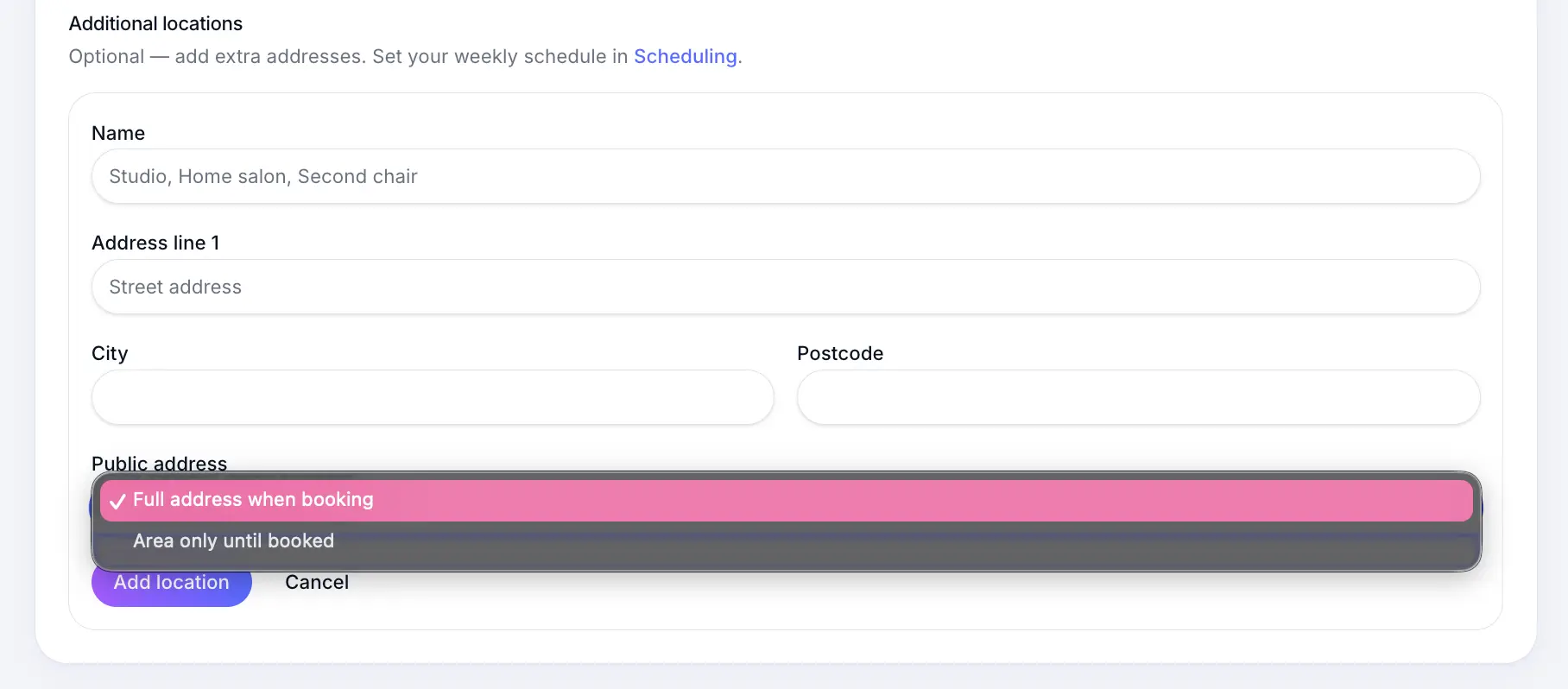
Before you start
Step-by-step
Open Business profile
Look for: Business profile
Find Public address
On your main location or an additional location, open the Public address dropdown.
Look for: Public address
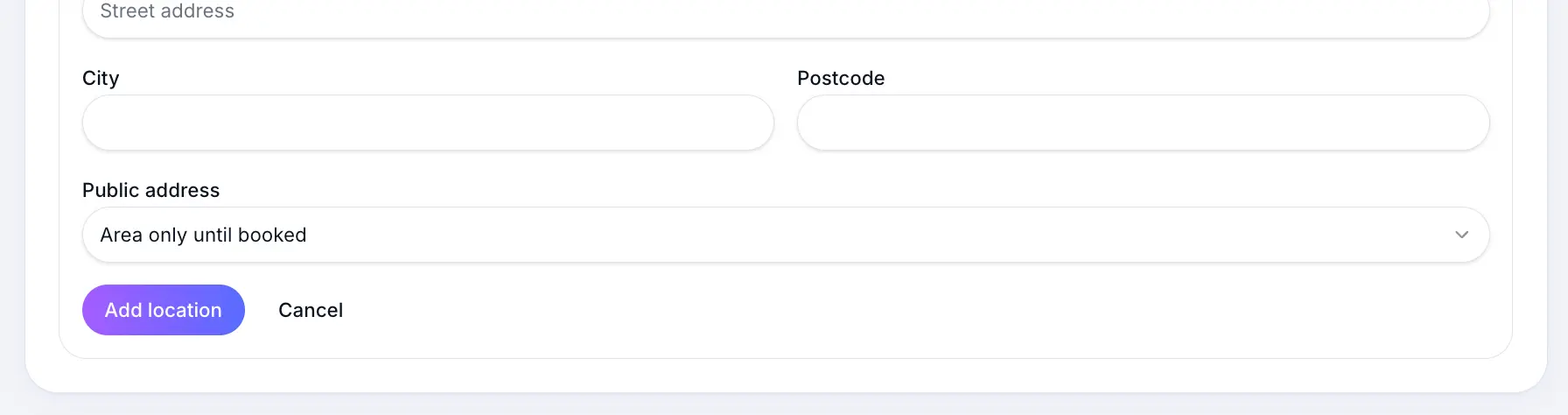
Area only hides the street address on your public booking page. Save your profile
Customers browsing your booking page see the reduced address until they complete a booking.
Look for: Save
Common questions
Frequently asked questions
Directory listings use your profile location for search and map placement. The privacy setting mainly affects what appears on your public booking page before a customer books.
Related articles
Still need help?
If this article didn't answer your question, search the help centre or contact our support team.
Sign in to open a tracked support ticket, or use the contact form.